#include <Inspector.h>
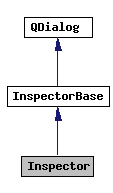
Inheritance diagram for Inspector:
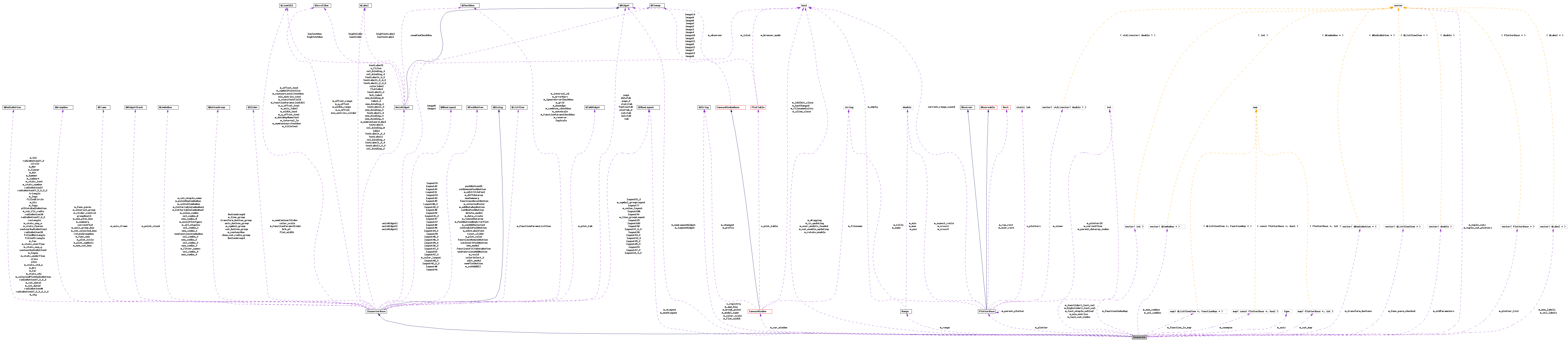
It provides an Inspector it provides methods specific to the Qt implementation of the HippoDraw application.
Definition at line 229 of file Inspector.h.
Public Slots | |
| virtual void | m_editFontToggled (bool) |
| virtual void | m_editLabelFontClicked () |
| virtual void | m_editTitleFontClicked () |
| virtual void | m_numContourSlider_valueChanged (int) |
Public Member Functions | |
| accept () | |
| virtual void | allCutsRadioButton_toggled (bool selected) |
| virtual void | customEvent (QCustomEvent *event) |
| The method to receive update events from the application queue. | |
| done (int r) | |
| void | enableNewPlotBox (bool yes=true) |
| Enables the new plot box. | |
| enum {Rejected, Accepted} | |
| exec () | |
| extension () const | |
| std::string | getSelectedDataSourceName () const |
| Returns the name of the currently selected DataSource in Data tabbed panel. | |
| Inspector (QWidget *parent=0, const char *name=0, bool modal=false, Qt::WFlags flags=0) | |
| The constructor. | |
| isModal () const | |
| isSizeGripEnabled () const | |
| orientation () const | |
| prop -whether the size grip is enabled | |
| prop -whether show() should pop up the dialog as modal or modeless | |
| reject () | |
| result () const | |
| virtual void | selectedCutsRadioButton_toggled (bool selected) |
| setExtension (QWidget *extension) | |
| setModal (bool modal) | |
| setOrientation (Orientation orientation) | |
| setResult (int i) | |
| void | setSelectedFitter (const std::string &name) |
| Sets the selected Fitter. | |
| setSizeGripEnabled (bool) | |
| show () | |
| showExtension (bool showIt) | |
| virtual void | statsButtonGroupClicked (int) |
| virtual void | update () |
| The Update Method. | |
| virtual void | updateSummaryTab () |
| Updates the Stats tabbed panel's widgets. | |
| virtual | ~Inspector () |
| The virtual destructor. | |
Public Attributes | |
| QRadioButton * | allCutsRadioButton |
| QButtonGroup * | axis_button_group |
| QWidget * | axisTab |
| hippodraw::AxisWidget * | axisWidget1 |
| hippodraw::AxisWidget * | axisWidget2 |
| hippodraw::AxisWidget * | axisWidget3 |
| QLabel * | brk_label |
| QSlider * | brk_pt |
| QButtonGroup * | ButtonGroup4 |
| QButtonGroup * | ButtonGroup8 |
| QRadioButton * | circle |
| QSlider * | color_scale |
| QLabel * | colorlabel |
| QPushButton * | colorSelect_2 |
| QRadioButton * | contourRadioButton1 |
| QRadioButton * | contourRadioButton2 |
| QRadioButton * | cross |
| QGroupBox * | currentPlot |
| QButtonGroup * | cut_button_group |
| QPushButton * | cutEnablePushButton |
| QPushButton * | cutInvertPushButton |
| QPushButton * | cutNewPushButton |
| QPushButton * | cutRemovePushButton |
| QWidget * | cutsTab |
| QWidget * | dataTab |
| QPushButton * | delete_model |
| QPushButton * | edit_model |
| QRadioButton * | filledCircle |
| QRadioButton * | filledRectangle |
| QRadioButton * | filledTriangle |
| QSlider * | flat_width |
| QLabel * | flatlabel |
| QPushButton * | functionsFitToDataButton |
| QPushButton * | functionsRemoveButton |
| QPushButton * | functionsResetButton |
| QWidget * | funtionTab |
| QGroupBox * | groupBox14 |
| QLabel * | label |
| QLabel * | label_2 |
| QCheckBox * | logScale |
| QPushButton * | m_addDataRepButton |
| QRadioButton * | m_Air |
| QComboBox * | m_all_ntuples |
| QRadioButton * | m_Arc |
| QCheckBox * | m_autoScale |
| QComboBox * | m_availPlotTypes |
| QFrame * | m_axis_frame |
| QGroupBox * | m_axis_group_box |
| QLineEdit * | m_axis_label |
| QCheckBox * | m_boxedge |
| QRadioButton * | m_Car |
| QCheckBox * | m_combine_checkbox |
| QButtonGroup * | m_contourBox |
| QLineEdit * | m_contourLevelsTextBox |
| QRadioButton * | m_cut_data1 |
| QRadioButton * | m_cut_data2 |
| QRadioButton * | m_cut_fit_radio |
| QGroupBox * | m_cut_selected_box |
| QPushButton * | m_cutAddAll |
| QPushButton * | m_cutAddSelected |
| QComboBox * | m_CutVariableComboBox1 |
| QComboBox * | m_CutVariableComboBox2 |
| QPushButton * | m_data_create |
| QLineEdit * | m_dataRepNameText |
| QPushButton * | m_diffdatarep |
| QPushButton * | m_editLabelFont |
| QPushButton * | m_editTitleFont |
| QCheckBox * | m_errorBars |
| QComboBox * | m_fitter_names |
| QGroupBox * | m_func_new |
| QGroupBox * | m_func_parms |
| QCheckBox * | m_FunctionParamsCheckBox |
| QLineEdit * | m_FunctionParamsLineEdit |
| QListView * | m_FunctionParamsListView |
| QSlider * | m_FunctionParamsSlider |
| QRadioButton * | m_Gls |
| QCheckBox * | m_grid |
| QRadioButton * | m_hammer |
| QCheckBox * | m_IgnoreErrorCheckBox |
| QCheckBox * | m_interval_cb |
| QGroupBox * | m_interval_group |
| QLineEdit * | m_interval_le |
| QRadioButton * | m_lambert |
| QButtonGroup * | m_line_group |
| QRadioButton * | m_linear |
| QRadioButton * | m_logx |
| QRadioButton * | m_logxy |
| QRadioButton * | m_logy |
| QRadioButton * | m_Mer |
| QGroupBox * | m_new_cut_box |
| QGroupBox * | m_new_plot_box |
| QLabel * | m_numContoursLabel |
| QSlider * | m_numContourSlider |
| QLineEdit * | m_numContoursTextBox |
| QScrollBar * | m_offset_range |
| QLineEdit * | m_offset_text |
| QPushButton * | m_plot_color |
| QGroupBox * | m_plot_symbols |
| QTabWidget * | m_plot_tab |
| QGroupBox * | m_plot_title |
| QWidgetStack * | m_point_stack |
| QComboBox * | m_pointRepComboBox |
| QPushButton * | m_PushButtonNewErrorPlot |
| QPushButton * | m_removeDatarep |
| QPushButton * | m_resid |
| QCheckBox * | m_reverse |
| QComboBox * | m_sel_ntuple_name |
| QComboBox * | m_selCutComboBox |
| QPushButton * | m_selectedColor |
| QRadioButton * | m_selectedPlotRadioButton |
| QRadioButton * | m_Sin |
| QGroupBox * | m_slider_control |
| QRadioButton * | m_stats_avg_x |
| QRadioButton * | m_stats_avg_y |
| QRadioButton * | m_stats_chi |
| QRadioButton * | m_stats_fparms |
| QRadioButton * | m_stats_number |
| QRadioButton * | m_stats_overflow |
| QRadioButton * | m_stats_std_x |
| QRadioButton * | m_stats_text |
| QRadioButton * | m_stats_underflow |
| QLineEdit * | m_statsTextField |
| QRadioButton * | m_Stg |
| QGroupBox * | m_summary |
| QButtonGroup * | m_symbol_group |
| QLineEdit * | m_symbolPointSize |
| QRadioButton * | m_Tan |
| QLineEdit * | m_titleText |
| QComboBox * | m_value_combo |
| QScrollBar * | m_width_range |
| QLineEdit * | m_width_text |
| QScrollBar * | m_x_offset |
| QLineEdit * | m_x_offset_text |
| QScrollBar * | m_y_offset |
| QLineEdit * | m_y_offset_text |
| QScrollBar * | min_entries_slider |
| QLineEdit * | min_entries_text |
| QLabel * | new_binding_0 |
| QLabel * | new_binding_1 |
| QLabel * | new_binding_2 |
| QLabel * | new_binding_3 |
| QLabel * | new_binding_4 |
| QComboBox * | new_combo_0 |
| QComboBox * | new_combo_1 |
| QComboBox * | new_combo_2 |
| QComboBox * | new_combo_3 |
| QComboBox * | new_combo_4 |
| QPushButton * | new_model |
| QPushButton * | newFunctionsAddButton |
| QComboBox * | newFunctionsComboBox |
| QPushButton * | newPlotButton |
| QPushButton * | newSummary |
| QWidget * | page |
| QWidget * | page_2 |
| QWidget * | plotTab_2 |
| QRadioButton * | plus |
| QPushButton * | pushButton26 |
| QRadioButton * | radioButton27 |
| QRadioButton * | radioButton27_2 |
| QRadioButton * | radioButton27_2_2 |
| QRadioButton * | radioButton27_2_2_2 |
| QRadioButton * | radioButton27_2_2_2_2 |
| QRadioButton * | radioButton27_2_2_2_2_2 |
| QRadioButton * | radioButton38 |
| QRadioButton * | radioButton39 |
| QRadioButton * | radioButton40 |
| QRadioButton * | rectangle |
| QPushButton * | reset_slider |
| QGroupBox * | rotateGroupBox |
| QLabel * | sel_binding_0 |
| QLabel * | sel_binding_1 |
| QLabel * | sel_binding_2 |
| QLabel * | sel_binding_3 |
| QLabel * | sel_binding_4 |
| QComboBox * | sel_combo_0 |
| QComboBox * | sel_combo_1 |
| QComboBox * | sel_combo_2 |
| QComboBox * | sel_combo_3 |
| QComboBox * | sel_combo_4 |
| QButtonGroup * | show_cut_radio_group |
| QWidget * | statsTab |
| QWidget * | tab |
| QLabel * | textLabel1 |
| QLabel * | TextLabel1 |
| QLabel * | textLabel1_2 |
| QLabel * | textLabel1_2_2 |
| QLabel * | TextLabel1_2_3 |
| QLabel * | TextLabel1_2_3_2 |
| QLabel * | TextLabel1_2_4 |
| QLabel * | TextLabel1_2_4_2 |
| QLabel * | TextLabel1_3 |
| QLabel * | TextLabel1_3_2 |
| QLabel * | TextLabel1_4 |
| QLabel * | textLabel5 |
| QButtonGroup * | transform_button_group |
| QRadioButton * | triangle |
| QLabel * | u_fiiter |
Protected Slots | |
| virtual void | languageChange () |
| virtual void | transformNew () |
Protected Member Functions | |
| virtual void | addDataRepButton_clicked () |
| Responds to click on the add Data Rep button. | |
| virtual void | allNtupleComboActivated (const QString &) |
| virtual void | autoScale_clicked () |
| Slot which responds to the toggle in state of the autoScale check box. | |
| virtual void | availPlotTypesActivated (const QString &) |
| virtual void | axis_button_group_clicked (int id) |
| Responds to change in axis tabbed panel's axis radio button group. | |
| virtual void | axisLabelChanged (int index, const QString &axisName) |
| Responds to change in axis binding on existing plotter. | |
| virtual void | axisLabelText () |
| Responds to return in axis label text box. | |
| virtual void | axisZoomPanCheckBox_clicked () |
| Responds to change in zoom/pan check box. | |
| virtual void | colorSelect_2_clicked () |
| Sets the Color of the cut plotter. | |
| virtual void | colorSelect_clicked () |
| virtual void | combineCheckBox_clicked () |
| Responds to the combined bins checkbox clicked. | |
| void | contourError () |
| Raises message box on contour input error. | |
| virtual void | contourLevelsTextBox_returnPressed () |
| Responds to change in contour levels text box. | |
| virtual void | contourRadioButton1_toggled (bool) |
| Responds to change in 1st contour radio button. | |
| virtual void | contourSlider_valueChanged (int val) |
| virtual void | contourTextBox_returnPressed () |
| virtual const std::string | convertToString (hippodraw::Axes::Type) |
| virtual void | createResiduals () |
| Creates a display showing the residuals of the function. | |
| virtual void | cut_button_group_clicked () |
| Responds to change of the cut panel's radio group. | |
| virtual void | cutAddAll () |
| Adds all the cuts to the DataRep. | |
| virtual void | cutAddSelected () |
| Adds selected cut to the DataRep. | |
| virtual void | cutEnablePushButton_toggled (bool on) |
| Responds to the cut enable push button. | |
| virtual void | cutHighSlider_sliderMoved (int value) |
| virtual void | cutHighSlider_sliderReleased () |
| virtual void | cutInvertPushButton_clicked () |
| virtual void | cutLowSlider_sliderMoved (int value) |
| virtual void | cutLowSlider_sliderReleased () |
| virtual void | cutNew () |
| virtual void | cutRemovePushButton_clicked () |
| Responds to the button that removes a cut. | |
| virtual void | cutText_returnPressed () |
| Responds to entry in one of the cut text fields. | |
| virtual void | cutZoomPanCheckBox_clicked () |
| virtual void | dataCreateNTuple () |
| virtual void | dataNTupleSelChanged (int item) |
| virtual void | dataTupleNameChanged (const QString &) |
| Respond to change of DataSource name change. | |
| virtual void | deleteColorModel () |
| Deletes an existing Value to Color Model. | |
| virtual void | editColorModel () |
| Brings up dialog to edit an existing Value to Color model. | |
| void | editLabelFontClicked () |
| Edit label font, ( if user wants to overwrite he default ). | |
| void | editTitleFontClicked () |
| Edit the title font, ( if user wants to overwrite he default ). | |
| virtual void | entriesDrag () |
| virtual void | fitterNamesActivated (int) |
| virtual void | functionAdd () |
| virtual void | functionParamsCheckBoxToggled (bool) |
| Slot which recieves the signal if state of the checkbox changes in the the function Params tab. | |
| virtual void | functionParamsLineEditReturnPressed () |
| Slot which recieves the signal if enter is pressed in the line edit in the the function Params tab. | |
| virtual void | functionParamsListViewCurrentChanged () |
| Slot which recieves the signal if Current item changes in the List View of the function Params. | |
| virtual void | functionParamsSliderSliderMoved (int) |
| Slot which alters the parameter values as the function Params slider is moved. | |
| virtual void | functionParamsSliderSliderPressed () |
| Slot which recieves signal when params slider is presssed. | |
| virtual void | functionParamsSliderSliderReleased () |
| Slot which set the slider to mid point after it has been release. | |
| virtual void | functionsFitToDataButton_clicked () |
| Fits the selected function to the data. | |
| virtual void | functionsRemoveButton_clicked () |
| Removing the selected function and updating appropriate tabbed panels. | |
| virtual void | functionsResetButton_clicked () |
| Reset the function parameters from the parameters saved before the last fit. | |
| std::string | getArrayTupleLabel (const DataSource *rtuple, const std::string &column) |
| In case we are dealing with multidimensional data in rows of this column in the given DataSource we would like to deal with on one entry of this multidimensional data. | |
| virtual int | getMinEntries () |
| Get the minimum entries number of the plot. | |
| virtual PlotterBase * | getPlotter () |
| virtual void | highRangeDrag () |
| virtual void | ignoreErrorCheckBoxToggled (bool) |
| Slot which responds to the ignoreError check box. | |
| virtual void | intervalStateChanged (bool state) |
| virtual void | intervalTextChanged (const QString &) |
| virtual void | lineStyleButtonGroup_clicked (int id) |
| virtual void | logScale_clicked () |
| The Qt slot which responds to the toggle in state of the logScale checkbox. | |
| virtual void | lowRangeDrag () |
| virtual void | m_boxedge_clicked () |
| virtual void | m_grid_clicked () |
| Responds to the toggle in state of the show grid check box. | |
| virtual void | newColorModel () |
| Brings up dialog to create a new Value to Color model. | |
| virtual void | newPlotButton_clicked () |
| virtual void | offsetDrag () |
| virtual void | pointRepComboBox_activated (const QString &qstr) |
| virtual void | pushButtonNewErrorPlotClicked () |
| The slot that recieves the signal when the PushButtonNewErrorPlot is clicked. | |
| virtual void | removeDataRepButton_clicked () |
| Responds to click on the remove Data Rep button. | |
| virtual void | resetRotate () |
| Reset to zero. | |
| virtual void | resetSlider () |
| Resets sliders to default position. | |
| virtual void | reverse_clicked () |
| Slot which respons to the toggle in state of the reverse check box. | |
| virtual void | rotateX (int offset) |
| Rotation for periodic transform. | |
| virtual void | rotateY (int offset) |
| virtual void | selCutChanged () |
| virtual void | setBinWidth (int value, bool drag) |
| Sets the bin width and the slider dragging flag. | |
| virtual void | setBinWidth (int value) |
| virtual void | setDragOn () |
| Called when any slider is pressed. | |
| virtual void | setHighRange (int value, bool yes) |
| Sets the high range and the slider dragging flag. | |
| virtual void | setHighRange (int value) |
| virtual void | setHighText () |
| virtual void | setLowRange (int value, bool yes) |
| Sets the low range and slider dragging flag. | |
| virtual void | setLowRange (int value) |
| virtual void | setLowText () |
| virtual void | setMinEntries (int increment) |
| Responds to minimum entries slider. | |
| virtual void | setMinEntriesText () |
| Responds to the user input of minimum entries number. | |
| virtual void | setOffset (int value, bool yes) |
| sets the bin offset and the slider dragging flag. | |
| virtual void | setOffset (int value) |
| virtual void | setOffsetText () |
| Responds to return in bin offset text field. | |
| virtual void | setParameters (int, PlotterBase *) |
| virtual void | setRotate (int x, int y) |
| Reset the rotation slider and text, from the plotter. | |
| virtual void | setWidthText () |
| Responds to return in bin width text field. | |
| virtual void | setXRotateText () |
| virtual void | setYRotateText () |
| virtual void | sliderChanged (int) |
| Responds to change in the sliders of one of the value to color sliders. | |
| virtual void | summaryNew () |
| virtual void | symbolPointSize_returnPressed () |
| virtual void | symbolTypeButtonGroup_clicked (int id) |
| virtual void | tabChanged () |
| Receives the signal that the tabbed panel changed and invokes the update method. | |
| virtual void | titleText_returnPressed () |
| Responds to title text return. | |
| virtual void | transform_button_group_clicked () |
| Responds to change in transform tabbed panel's radio button group. | |
| virtual void | updateAxisTab () |
| Updates the axis tabbed panel's widgets. | |
| virtual void | updateCutsTab () |
| Updates the cut tabbed panel's widgets' state and values. | |
| virtual void | updateDataCutsTab () |
| Updates the cut tabbed panel when in data cut mode. | |
| virtual void | updateDataTab () |
| virtual void | updateFitCutsTab () |
| Update the cut tabbed panel when in fit cut mode. | |
| virtual void | updateFunctionsTab () |
| Updates the functions tabbed panel's widgets. | |
| virtual void | updatePlotTypes () |
| Updates the available plot types combo box. | |
| virtual void | updateTransformTab () |
| Update the transform tabbed panel's widgets. | |
| virtual void | valueChanged (int) |
| Responds to change of the value to color combo box. | |
| virtual void | widthDrag () |
Protected Attributes | |
| QVBoxLayout * | layout100 |
| QVBoxLayout * | layout102 |
| QHBoxLayout * | layout29 |
| QHBoxLayout * | Layout31 |
| QHBoxLayout * | layout31 |
| QHBoxLayout * | layout33 |
| QVBoxLayout * | layout33_2 |
| QVBoxLayout * | layout33_3 |
| QVBoxLayout * | layout33_3_2 |
| QVBoxLayout * | layout34 |
| QVBoxLayout * | layout35 |
| QVBoxLayout * | layout35_2 |
| QVBoxLayout * | layout36 |
| QHBoxLayout * | layout36_2 |
| QHBoxLayout * | layout37 |
| QVBoxLayout * | layout37_2 |
| QVBoxLayout * | layout37_2_2 |
| QVBoxLayout * | layout38 |
| QHBoxLayout * | layout39 |
| QHBoxLayout * | layout40 |
| QHBoxLayout * | Layout40_2 |
| QHBoxLayout * | layout41 |
| QHBoxLayout * | layout41_2 |
| QHBoxLayout * | layout42 |
| QHBoxLayout * | layout42_2 |
| QHBoxLayout * | layout42_2_2 |
| QHBoxLayout * | layout43 |
| QHBoxLayout * | layout44 |
| QHBoxLayout * | layout44_2 |
| QHBoxLayout * | layout45 |
| QHBoxLayout * | layout45_2 |
| QVBoxLayout * | layout45_3 |
| QHBoxLayout * | layout46 |
| QHBoxLayout * | layout46_2 |
| QHBoxLayout * | layout46_3 |
| QHBoxLayout * | layout47 |
| QHBoxLayout * | layout47_2 |
| QHBoxLayout * | layout47_3 |
| QHBoxLayout * | layout48 |
| QHBoxLayout * | layout49 |
| QHBoxLayout * | layout49_2 |
| QVBoxLayout * | layout51 |
| QVBoxLayout * | layout51_2 |
| QHBoxLayout * | layout52 |
| QVBoxLayout * | layout77 |
| QHBoxLayout * | m_color_layout |
| QVBoxLayout * | m_line_groupLayout |
| QVBoxLayout * | m_symbol_groupLayout |
| QVBoxLayout * | m_value_layout |
Static Protected Attributes | |
| static QString | s_registry |
| The QSettings Windows registry key. | |
Private Types | |
| enum | ParameterList { Index, Name, Value, Error, Fixed, Dummy } |
| typedef std::vector< PlotterBase * > | PlotterList_t |
| The type of container for PlotterBase objects. | |
| typedef std::vector< const TupleCut * > | TupleCutList_t |
| The type of container for current TupleCut objects. | |
Private Member Functions | |
| void | badFunctionError (const std::string &name, const char *what) |
| Raise bad function error dialog. | |
| void | changeNTupleName (const QString &) |
| Changes the name NTuple. | |
| void | clear (std::vector< QLabel * > &labels, std::vector< QComboBox * > &combos) |
| Clears the labels and combo boxes. | |
| void | convertCtrlPts (std::vector< double > &sv) |
| Converts the value to color control points from int slider values to float values. | |
| void | cutOnCutError () |
| Raises information dialog to say applying a cut to itself was not done. | |
| int | cutRadioId () const |
| Returns the Id of the cut radio button group. | |
| void | dataClearSelectedControls () |
| Clears the previous binding controls. | |
| virtual void | diffDataRep () |
| Create display with differenece between two DataRep objects in Plotter. | |
| void | disableCutControls (bool yes) |
| Disables all the control widgets for a cut. | |
| virtual void | errorBars_toggled (bool) |
| Responds to error bars check box. | |
| void | fillCheckedFunctionRepItems () |
| Clears and fills m_func_parm_checked vector with the function parameters that have their check box on. | |
| void | fillFunctionParameters (QListViewItem *parent, const FunctionRep *function, unsigned int &index) |
| Fills the QListView with items for each function parameter or function as a child of parent. | |
| void | fillPlotterList (std::vector< PlotterBase * > &plot_list) |
| Clears and Fills plot_list with the PlotterBase objects on the current canvas. | |
| int | findCutIndex (const QString &label) |
| Returns the index of the cut selections with label label. | |
| void | fitFailedError () |
| Raises failed fit error dialog. | |
| void | functionAddError () |
| Raises a function add error QMessageBox when the selected DataRep does not support the selected function. | |
| hippodraw::Axes::Type | getAxes (unsigned int index) |
| Returns the Axes::Type for the TupleCut at index i. | |
| const std::vector< const TupleCut * > & | getCutList (const PlotterBase *plotter) const |
| Returns the TupleCut list. | |
| const std::vector< PlotterBase * > & | getDataCutList (PlotterBase *plotter) |
| Returns the list of data cut plotter objects that target plotter. | |
| FunctionRep * | getFunctionRep () |
| Returns the FunctionRep corresponding to selected function parameters QListView item. | |
| FunctionRep * | getFunctionRep (QListViewItem *item) |
| Returns the FunctionRep corresponding to the function parameters QListView item. | |
| virtual CutPlotter * | getSelectedCut () |
| QListViewItem * | getTopParent (QListViewItem *item) |
| Help function to find the top level object in a QListViewItem tree. | |
| void | incompatibleDataRepError (const std::string &type) |
| Raises incompatible DataRep error dialog. | |
| void | incompatibleFitterError (const std::string &type) |
| Raises incompatible Fitter error dialog. | |
| void | incompatibleFunctionError (const std::string &type) |
| Raises the incompatible function error dialog. | |
| void | init () |
| Initializes the Inspector. | |
| void | invalidDataWarning () |
| Raises a dialog to warn user that bound DataSource has invalid data. | |
| void | invalidOperationError (const std::string &message) |
| Raises operatonal error messge ox with messge. | |
| void | invalidPeriodicTransform () |
| Displays a warning message that application was not compiled with WCSLIB support. | |
| void | invalidRangeError (const std::string &bad) |
| Raises invalid range error dialog. | |
| void | loadAllUserModels () |
| void | multipleDataRepError (const std::string &type) |
| Raises a multiple DataRep error QMessageBox. | |
| bool | multipleDataRepInfo (const std::string &type) |
| Raises a multiple DataRep info dialog. | |
| void | multiplePlotError () |
| Raises a multiple plot error message box. | |
| void | newPlotError (const std::exception &e) |
| Raises a dialog for new plot error. | |
| void | noNTupleSelectedError () |
| Raises no NTuple selected error dialog. | |
| virtual void | ntupleChanged (int) |
| Responds to combo box that shows the NTuple name of the selected plot. | |
| virtual void | sel_combo_0_activated (const QString &) |
| Responds to combo box of selected plot be activated by changing the binding. | |
| virtual void | sel_combo_1_activated (const QString &) |
| Responds to combo box of selected plot be activated by changing the binding. | |
| virtual void | sel_combo_2_activated (const QString &) |
| Responds to combo box of selected plot be activated by changing the binding. | |
| virtual void | sel_combo_3_activated (const QString &) |
| Responds to combo box of selected plot be activated by changing the binding. | |
| void | setAllCutsActive (bool yes) |
Sets all CutPlotter objects to active state if yes is true, otherwise sets them inactive. | |
| void | setAppKey () |
| Ensures that the application's key value has been set. | |
| void | setNewPlotNTuple (const std::string &name) |
| Sets the current item in the available NTuple selection box to one that matches name. | |
| virtual void | setZRadioButton (bool enabled) |
| Sets the Z axis radio button to proper state. | |
| void | statsStripValue (QRadioButton *box) |
| Strips the value part of the text field. | |
| int | transformId () const |
| Returns the Id of the transform radio button that is selected. | |
| void | updateAutoScaleBox () |
| Update the status of the auto scale check box. | |
| void | updateColorMapCtrls (const PlotterBase *plotter) |
| Updates the controls for the color map if applicable, othewise disables them. | |
| void | updateCutControls (const std::vector< PlotterBase * > &cutlist) |
| Updates the Cut controls in the Cut tabbed panel. | |
| void | updateCutControlValues (const PlotterBase *cutplotter) |
| Updates the Cut control values with those of the designated cut Plotter. | |
| void | updateCutEnableButton () |
| Updates the cut enabled push button control. | |
| void | updateCutsActive () |
| void | updateCutVarGroupBox (const PlotterBase *plotter, int index) |
| Updates the QGroupBox that displays to controller for creating a new cut. | |
| void | updateLogBox () |
| Update the status of the log scale check box. | |
| void | updateNewPlotControls () |
| Updates the controls in the new plot group box. | |
| virtual void | updatePlotTab () |
| Updates the Plot tabbed panel's widgets. | |
| void | updateReverseBox () |
| Update the status of the reverse check box. | |
| void | updateSelectedPlotData (const PlotterBase *plotter) |
| Updates the controls in the selected plot QGroupBox of the data inspector. | |
| void | updateSelectedPlotDataSource (const std::string &name) |
| Updates the selected plot data source combo box. | |
| void | updateSelectedPlotType (const PlotterBase *plotter) |
| Updates the selected plot DataRep type. | |
| void | updateTupleCuts (const std::vector< PlotterBase * > &cutlist) |
| Updates the list of TupleCut objects and their corresponding Plotter. | |
| void | updateValueCombo () |
| Updates the value to color transform combo box. | |
| bool | validPeriodicTransformRange (int miny) |
| int | validPeriodicTransformRange () |
| Return true if the range is valid for HammerAito or Lambert transform. | |
| void | warningTex () |
| Raises warning if TeX not supported. | |
Private Attributes | |
| QString | m_app_key |
| The QSettings application key for searching for setting. | |
| hippodraw::Axes::Type | m_axis |
| QString | m_break_point |
| The color model break point settings key. | |
| QString | m_color_scale |
| The color model color scale settings key. | |
| CanvasWindow * | m_cur_window |
| bool | m_cut_enable_updating |
| Set to true when hippodraw::Inspector::cutEnablePushButton is being updated. | |
| std::map< PlotterBase *, int > | m_cut_map |
| A map of the last cut item selected for each plotter. | |
| bool | m_dragging |
| QString | m_flat_width |
| The color model flat width settings key. | |
| std::vector< QListViewItem * > | m_func_parm_checked |
| The list of functions parameters that are checked for use by the error contour display. | |
| std::map< QListViewItem *, FunctionRep * > | m_function_lv_map |
| Map between a function's QListViewItem and its FunctionRep pointer. | |
| std::vector< int > | m_functionIndexMap |
| int | m_highslider1_last_val |
| The value of the high slider in Axis Widget 1 as last recorded. | |
| bool | m_is_updating |
Set to true if updating is being processed. | |
| int | m_last_cut_index |
| The index of the last selected cut. | |
| int | m_last_ntuple_edited |
| The m_all_ntuples item that was lasted edited. | |
| QWidget * | m_layoutWidget |
| int | m_lowslider1_last_val |
| The value of the low slider in Axis Widget 1 as last recorded. | |
| int | m_min_entries |
| The min_entries when draging starts. | |
| QString | m_model_name |
| The color model name settings key. | |
| std::vector< QComboBox * > | m_new_combos |
| Binding combo boxes for new plot group box. | |
| std::vector< QLabel * > | m_new_labels |
| Binding labels for new plot group box. | |
| QWidget * | m_newLayoutWidget |
| QVBoxLayout * | m_newVLayout |
| std::vector< double > | m_oldParameters |
| PlotterBase * | m_plotter |
| The currently selected PlotterBase object. | |
| std::vector< PlotterBase * > | m_plotter_list |
| The currently selected plotters. | |
| Range | m_range |
| bool | m_rotate_enable |
| When changing current plot, set to false so that Inspector don't update the rotation repeatedly. | |
| std::vector< QComboBox * > | m_sel_combos |
| Binding combo boxes for selected plot group box. | |
| std::vector< QLabel * > | m_sel_labels |
| Binding labels for selected plot group box. | |
| std::vector< QRadioButton * > | m_transform_buttons |
| The list of transform radio buttons. | |
| PlotterList_t | m_tuple_cut_plotters |
| The PlotterBase object associated with each TupleCut object. | |
| TupleCutList_t | m_tuple_cuts |
| The list of TupleCut objects currently selected. | |
| bool | m_user_models_loaded |
Set to true after the user defined value to color transforms have been loaded. | |
| QVBoxLayout * | m_vLayout |
| std::map< const PlotterBase *, bool > | m_zoompan |
typedef std::vector< PlotterBase * > PlotterList_t [private] |
typedef std::vector< const TupleCut * > TupleCutList_t [private] |
enum ParameterList [private] |
The constructor.
Definition at line 136 of file Inspector.cxx.
References InspectorBase::axisWidget1, InspectorBase::axisWidget2, Inspector::axisZoomPanCheckBox_clicked(), Inspector::cutHighSlider_sliderMoved(), Inspector::cutHighSlider_sliderReleased(), Inspector::cutLowSlider_sliderMoved(), Inspector::cutLowSlider_sliderReleased(), Inspector::cutText_returnPressed(), Inspector::cutZoomPanCheckBox_clicked(), Inspector::dataNTupleSelChanged(), Inspector::highRangeDrag(), Inspector::init(), FunctionController::instance(), Inspector::lowRangeDrag(), InspectorBase::m_all_ntuples, InspectorBase::m_fitter_names, Inspector::m_highslider1_last_val, Inspector::m_lowslider1_last_val, Inspector::setDragOn(), Inspector::setHighRange(), Inspector::setHighText(), Inspector::setLowRange(), Inspector::setLowText(), and Inspector::updatePlotTypes().
| ~Inspector | ( | ) | [virtual] |
The virtual destructor.
Definition at line 241 of file Inspector.cxx.
References DisplayController::instance().
| void addDataRepButton_clicked | ( | ) | [protected, virtual] |
Responds to click on the add Data Rep button.
Implements InspectorBase.
Definition at line 1400 of file Inspector.cxx.
References QComboBox::currentItem(), QComboBox::currentText(), Inspector::getArrayTupleLabel(), Color::getColor(), Inspector::getPlotter(), Inspector::incompatibleDataRepError(), DisplayController::instance(), RootController::instance(), DataSourceController::instance(), Inspector::invalidDataWarning(), InspectorBase::label, QString::latin1(), InspectorBase::m_all_ntuples, InspectorBase::m_availPlotTypes, Inspector::m_new_combos, DataRep::set(), and Inspector::update().
| void allCutsRadioButton_toggled | ( | bool | selected | ) | [virtual] |
Implements InspectorBase.
Definition at line 3026 of file Inspector.cxx.
References InspectorBase::allCutsRadioButton, InspectorBase::cutRemovePushButton, Inspector::disableCutControls(), Inspector::getDataCutList(), Inspector::getPlotter(), QRadioButton::isChecked(), InspectorBase::m_cutAddAll, InspectorBase::m_cutAddSelected, Inspector::updateCutControls(), and Inspector::updateCutControlValues().
Referenced by Inspector::cutNew(), and Inspector::updateCutsTab().
| void allNtupleComboActivated | ( | const QString & | ) | [protected, virtual] |
Implements InspectorBase.
Definition at line 622 of file Inspector.cxx.
References Inspector::availPlotTypesActivated(), Inspector::changeNTupleName(), DataSourceController::instance(), InspectorBase::m_all_ntuples, and Inspector::m_last_ntuple_edited.
| void autoScale_clicked | ( | ) | [protected, virtual] |
Slot which responds to the toggle in state of the autoScale check box.
Implements InspectorBase.
Definition at line 4745 of file Inspector.cxx.
References PlotterBase::getTransform(), InspectorBase::m_autoScale, Inspector::m_axis, Inspector::m_plotter_list, PeriodicBinaryTransform::setXOffset(), PeriodicBinaryTransform::setYOffset(), and Inspector::updateAxisTab().
Referenced by Inspector::setDragOn().
| void availPlotTypesActivated | ( | const QString & | ) | [protected, virtual] |
Implements InspectorBase.
Definition at line 733 of file Inspector.cxx.
References Inspector::clear(), QComboBox::currentText(), DataSource::getLabels(), QWidget::hide(), DisplayController::instance(), DataSourceController::instance(), InspectorBase::m_all_ntuples, InspectorBase::m_availPlotTypes, Inspector::m_new_combos, Inspector::m_new_labels, Inspector::m_newLayoutWidget, and num_util::size().
Referenced by Inspector::allNtupleComboActivated(), Inspector::dataNTupleSelChanged(), and Inspector::updateNewPlotControls().
| void axis_button_group_clicked | ( | int | id | ) | [protected, virtual] |
Responds to change in axis tabbed panel's axis radio button group.
Implements InspectorBase.
Definition at line 2270 of file Inspector.cxx.
References hippodraw::Axes::convert(), Inspector::m_axis, and Inspector::updateAxisTab().
| void axisLabelChanged | ( | int | index, | |
| const QString & | axisName | |||
| ) | [protected, virtual] |
Responds to change in axis binding on existing plotter.
Definition at line 669 of file Inspector.cxx.
References Inspector::getPlotter(), DisplayController::instance(), Inspector::invalidDataWarning(), InspectorBase::label, QString::latin1(), Inspector::m_plotter_list, Inspector::m_sel_labels, and Inspector::multiplePlotError().
Referenced by Inspector::sel_combo_0_activated(), Inspector::sel_combo_1_activated(), Inspector::sel_combo_2_activated(), and Inspector::sel_combo_3_activated().
| void axisLabelText | ( | ) | [protected, virtual] |
Responds to return in axis label text box.
Implements InspectorBase.
Definition at line 2454 of file Inspector.cxx.
References hippodraw::String::ci_find(), Inspector::convertToString(), Inspector::getPlotter(), QString::latin1(), Inspector::m_axis, InspectorBase::m_axis_label, Inspector::warningTex(), hippodraw::Axes::X, hippodraw::Axes::Y, and hippodraw::Axes::Z.
| void axisZoomPanCheckBox_clicked | ( | ) | [protected, virtual] |
Responds to change in zoom/pan check box.
Implements InspectorBase.
Definition at line 2282 of file Inspector.cxx.
References InspectorBase::axisWidget1, Inspector::getPlotter(), PlotterBase::getRange(), AxisWidget::isZoomPanChecked(), InspectorBase::m_autoScale, Inspector::m_axis, Inspector::m_zoompan, AxisWidget::processZoomPanCheckBoxClicked(), PlotterBase::setAutoRanging(), and QCheckBox::setChecked().
Referenced by Inspector::Inspector().
| void badFunctionError | ( | const std::string & | name, | |
| const char * | what | |||
| ) | [private] |
Raise bad function error dialog.
Definition at line 1087 of file Inspector.cxx.
References QMessageBox::critical().
Referenced by Inspector::functionAdd().
| void changeNTupleName | ( | const QString & | ) | [private] |
Changes the name NTuple.
Changes the name of a NTuple object to new_name. The NTuple whose names get changed is the one whose name was last edited in the m_all_ntuples QComboBox. It was save in m_last_ntuple_edited.
Definition at line 588 of file Inspector.cxx.
References DataSourceController::instance(), QString::latin1(), and Inspector::m_last_ntuple_edited.
Referenced by Inspector::allNtupleComboActivated().
Clears the labels and combo boxes.
Definition at line 718 of file Inspector.cxx.
References InspectorBase::label, and num_util::size().
Referenced by Inspector::availPlotTypesActivated(), Inspector::setParameters(), Inspector::updateFunctionsTab(), Inspector::updateNewPlotControls(), Inspector::updateSelectedPlotData(), Inspector::updateSelectedPlotDataSource(), and Inspector::updateValueCombo().
| void colorSelect_2_clicked | ( | ) | [protected, virtual] |
Sets the Color of the cut plotter.
Implements InspectorBase.
Definition at line 4900 of file Inspector.cxx.
References Inspector::cutRadioId(), QColorDialog::getColor(), and Inspector::getSelectedCut().
| void colorSelect_clicked | ( | ) | [protected, virtual] |
Implements InspectorBase.
Definition at line 2221 of file Inspector.cxx.
References PlotterBase::activePlotIndex(), Color::getBlue(), QColorDialog::getColor(), Color::getGreen(), Inspector::getPlotter(), Color::getRed(), InspectorBase::m_selectedColor, Inspector::multipleDataRepError(), PlotterBase::repColor(), and PlotterBase::setRepColor().
| void combineCheckBox_clicked | ( | ) | [protected, virtual] |
Responds to the combined bins checkbox clicked.
Implements InspectorBase.
Definition at line 5832 of file Inspector.cxx.
References Inspector::getPlotter(), QCheckBox::isChecked(), InspectorBase::m_combine_checkbox, Inspector::m_min_entries, PlotterBase::setMinEntries(), and Inspector::updateAxisTab().
| void contourError | ( | ) | [protected] |
Raises message box on contour input error.
Definition at line 5027 of file Inspector.cxx.
References QMessageBox::critical().
Referenced by Inspector::contourLevelsTextBox_returnPressed().
| void contourLevelsTextBox_returnPressed | ( | ) | [protected, virtual] |
Responds to change in contour levels text box.
Implements InspectorBase.
Definition at line 5047 of file Inspector.cxx.
References DisplayController::activeDataRepIndex(), QString::ascii(), Inspector::contourError(), InspectorBase::contourRadioButton2, PlotterBase::getDataRep(), Inspector::getPlotter(), DataRep::getProjector(), DataRep::getRepresentation(), DisplayController::instance(), QRadioButton::isChecked(), QString::isEmpty(), InspectorBase::m_contourLevelsTextBox, Observable::notifyObservers(), ContourPointRep::setContourValues(), QString::simplifyWhiteSpace(), stringTokenize(), and QLineEdit::text().
Referenced by Inspector::contourRadioButton1_toggled().
| void contourRadioButton1_toggled | ( | bool | ) | [protected, virtual] |
Responds to change in 1st contour radio button.
Implements InspectorBase.
Definition at line 4984 of file Inspector.cxx.
References Inspector::contourLevelsTextBox_returnPressed(), InspectorBase::contourRadioButton1, Inspector::contourSlider_valueChanged(), ContourPointRep::getNumContours(), Inspector::getPlotter(), DataRep::getRepresentation(), QRadioButton::isChecked(), InspectorBase::m_contourLevelsTextBox, InspectorBase::m_numContoursLabel, InspectorBase::m_numContourSlider, InspectorBase::m_numContoursTextBox, QLineEdit::setText(), and QSlider::setValue().
Referenced by Inspector::updateAxisTab().
| void contourSlider_valueChanged | ( | int | val | ) | [protected, virtual] |
Implements InspectorBase.
Definition at line 4926 of file Inspector.cxx.
References DisplayController::activeDataRepIndex(), PlotterBase::getDataRep(), Inspector::getPlotter(), DataRep::getRepresentation(), DisplayController::instance(), InspectorBase::m_numContoursTextBox, Observable::notifyObservers(), ContourPointRep::setNumContours(), QLineEdit::setText(), and ContourPointRep::setUsingUserValues().
Referenced by Inspector::contourRadioButton1_toggled().
| void contourTextBox_returnPressed | ( | ) | [protected, virtual] |
Implements InspectorBase.
Definition at line 4950 of file Inspector.cxx.
References DisplayController::activeDataRepIndex(), PlotterBase::getDataRep(), ContourPointRep::getNumContours(), Inspector::getPlotter(), DataRep::getRepresentation(), DisplayController::instance(), InspectorBase::m_numContourSlider, InspectorBase::m_numContoursTextBox, Observable::notifyObservers(), ContourPointRep::setNumContours(), QLineEdit::setText(), ContourPointRep::setUsingUserValues(), QSlider::setValue(), QLineEdit::text(), and QString::toInt().
| void convertCtrlPts | ( | std::vector< double > & | sv | ) | [private] |
Converts the value to color control points from int slider values to float values.
Definition at line 1917 of file Inspector.cxx.
References InspectorBase::brk_pt, InspectorBase::color_scale, and InspectorBase::flat_width.
Referenced by Inspector::editColorModel(), and Inspector::newColorModel().
| const std::string convertToString | ( | hippodraw::Axes::Type | ) | [protected, virtual] |
Definition at line 4230 of file Inspector.cxx.
References hippodraw::Axes::X, hippodraw::Axes::Y, and hippodraw::Axes::Z.
Referenced by Inspector::axisLabelText(), Inspector::setHighRange(), Inspector::setLowRange(), Inspector::setOffset(), and Inspector::updateAxisTab().
| void createResiduals | ( | ) | [protected, virtual] |
Creates a display showing the residuals of the function.
Implements InspectorBase.
Definition at line 4092 of file Inspector.cxx.
References Inspector::getFunctionRep(), Inspector::getPlotter(), WindowController::instance(), FunctionController::instance(), and hippodraw::Axes::X.
| void customEvent | ( | QCustomEvent * | event | ) | [virtual] |
The method to receive update events from the application queue.
The event object's data should contain a pointer to a PlotterBase object. This object's properties will be use to update the Inspector's tabbed panels and will be the target for its controls.
Definition at line 353 of file Inspector.cxx.
References Inspector::m_plotter, Inspector::m_plotter_list, and Inspector::update().
| void cut_button_group_clicked | ( | ) | [protected, virtual] |
Responds to change of the cut panel's radio group.
Implements InspectorBase.
Definition at line 3356 of file Inspector.cxx.
References Inspector::cutRadioId(), InspectorBase::m_CutVariableComboBox1, InspectorBase::m_CutVariableComboBox2, and Inspector::updateCutsTab().
| void cutAddAll | ( | ) | [protected, virtual] |
Adds all the cuts to the DataRep.
Implements InspectorBase.
Definition at line 2974 of file Inspector.cxx.
References Inspector::cutOnCutError(), Inspector::getDataCutList(), Inspector::getPlotter(), CutController::instance(), and num_util::size().
| void cutAddSelected | ( | ) | [protected, virtual] |
Adds selected cut to the DataRep.
Implements InspectorBase.
Definition at line 2953 of file Inspector.cxx.
References Inspector::getPlotter(), Inspector::getSelectedCut(), and CutController::instance().
| void cutEnablePushButton_toggled | ( | bool | on | ) | [protected, virtual] |
Responds to the cut enable push button.
Implements InspectorBase.
Definition at line 4879 of file Inspector.cxx.
References Inspector::cutRadioId(), Inspector::getPlotter(), Inspector::getSelectedCut(), Inspector::m_cut_enable_updating, and InspectorBase::m_selCutComboBox.
| void cutHighSlider_sliderMoved | ( | int | value | ) | [protected, virtual] |
Implements InspectorBase.
Definition at line 4767 of file Inspector.cxx.
References InspectorBase::axisWidget2, Inspector::cutRadioId(), Inspector::getAxes(), Inspector::getPlotter(), Inspector::getSelectedCut(), Inspector::m_is_updating, InspectorBase::m_selCutComboBox, Inspector::m_tuple_cuts, and hippodraw::Axes::X.
Referenced by Inspector::Inspector().
| void cutHighSlider_sliderReleased | ( | ) | [protected, virtual] |
Implements InspectorBase.
Definition at line 4825 of file Inspector.cxx.
References InspectorBase::axisWidget2, Inspector::getAxes(), PlotterBase::getRange(), Inspector::getSelectedCut(), InspectorBase::m_selCutComboBox, and AxisWidget::processHighSliderReleased().
Referenced by Inspector::Inspector().
| void cutInvertPushButton_clicked | ( | ) | [protected, virtual] |
Implements InspectorBase.
Definition at line 4858 of file Inspector.cxx.
References Inspector::cutRadioId(), Inspector::getPlotter(), Inspector::getSelectedCut(), InspectorBase::m_selCutComboBox, and Inspector::m_tuple_cuts.
| void cutLowSlider_sliderMoved | ( | int | value | ) | [protected, virtual] |
Implements InspectorBase.
Definition at line 4791 of file Inspector.cxx.
References InspectorBase::axisWidget2, Inspector::cutRadioId(), Inspector::getAxes(), Inspector::getPlotter(), Inspector::getSelectedCut(), Inspector::m_is_updating, InspectorBase::m_selCutComboBox, Inspector::m_tuple_cuts, and hippodraw::Axes::X.
Referenced by Inspector::Inspector().
| void cutLowSlider_sliderReleased | ( | ) | [protected, virtual] |
Implements InspectorBase.
Definition at line 4815 of file Inspector.cxx.
References InspectorBase::axisWidget2, Inspector::getAxes(), PlotterBase::getRange(), Inspector::getSelectedCut(), InspectorBase::m_selCutComboBox, and AxisWidget::processLowSliderReleased().
Referenced by Inspector::Inspector().
| void cutNew | ( | ) | [protected, virtual] |
Implements InspectorBase.
Definition at line 3099 of file Inspector.cxx.
References DisplayController::activeDataRepIndex(), Inspector::allCutsRadioButton_toggled(), WindowController::currentCanvas(), Inspector::cutRadioId(), Inspector::getPlotter(), QMessageBox::information(), FunctionController::instance(), WindowController::instance(), CutController::instance(), DisplayController::instance(), QString::latin1(), InspectorBase::m_CutVariableComboBox1, InspectorBase::m_CutVariableComboBox2, Inspector::multipleDataRepError(), and Inspector::selectedCutsRadioButton_toggled().
| void cutOnCutError | ( | ) | [private] |
Raises information dialog to say applying a cut to itself was not done.
Definition at line 1193 of file Inspector.cxx.
References QMessageBox::information().
Referenced by Inspector::cutAddAll().
| int cutRadioId | ( | ) | const [private] |
Returns the Id of the cut radio button group.
Definition at line 3344 of file Inspector.cxx.
References InspectorBase::m_cut_data1, InspectorBase::m_cut_data2, and InspectorBase::m_cut_fit_radio.
Referenced by Inspector::colorSelect_2_clicked(), Inspector::cut_button_group_clicked(), Inspector::cutEnablePushButton_toggled(), Inspector::cutHighSlider_sliderMoved(), Inspector::cutInvertPushButton_clicked(), Inspector::cutLowSlider_sliderMoved(), Inspector::cutNew(), Inspector::cutRemovePushButton_clicked(), Inspector::cutText_returnPressed(), Inspector::cutZoomPanCheckBox_clicked(), Inspector::getSelectedCut(), Inspector::selectedCutsRadioButton_toggled(), Inspector::updateCutControlValues(), Inspector::updateCutsTab(), Inspector::updateCutVarGroupBox(), and Inspector::updateDataCutsTab().
| void cutRemovePushButton_clicked | ( | ) | [protected, virtual] |
Responds to the button that removes a cut.
Implements InspectorBase.
Definition at line 2999 of file Inspector.cxx.
References DisplayController::activeDataRepIndex(), Inspector::cutRadioId(), Inspector::getPlotter(), Inspector::getSelectedCut(), CutController::instance(), FunctionController::instance(), DisplayController::instance(), InspectorBase::m_selectedPlotRadioButton, and QApplication::postEvent().
| void cutText_returnPressed | ( | ) | [protected, virtual] |
Responds to entry in one of the cut text fields.
Implements InspectorBase.
Definition at line 2682 of file Inspector.cxx.
References InspectorBase::axisWidget2, Inspector::cutRadioId(), Inspector::getAxes(), Inspector::getSelectedCut(), Inspector::m_is_updating, InspectorBase::m_selCutComboBox, Inspector::m_tuple_cuts, AxisWidget::processTextBoxReturnPressed(), PlotterBase::setCutRangeAt(), and hippodraw::Axes::X.
Referenced by Inspector::Inspector().
| void cutZoomPanCheckBox_clicked | ( | ) | [protected, virtual] |
Implements InspectorBase.
Definition at line 4835 of file Inspector.cxx.
References InspectorBase::axisWidget2, Inspector::cutRadioId(), Inspector::getAxes(), Inspector::getSelectedCut(), CutController::instance(), InspectorBase::m_selCutComboBox, Inspector::m_tuple_cuts, and hippodraw::Axes::X.
Referenced by Inspector::Inspector().
| void dataClearSelectedControls | ( | ) | [private] |
Clears the previous binding controls.
Definition at line 913 of file Inspector.cxx.
References QLayoutIterator::current(), QLayoutIterator::deleteCurrent(), and Inspector::m_vLayout.
Referenced by Inspector::updateDataTab().
| void dataCreateNTuple | ( | ) | [protected, virtual] |
Implements InspectorBase.
Definition at line 1501 of file Inspector.cxx.
References Inspector::getPlotter(), DataSourceController::instance(), FunctionController::instance(), and Inspector::update().
| void dataNTupleSelChanged | ( | int | item | ) | [protected, virtual] |
Implements InspectorBase.
Definition at line 603 of file Inspector.cxx.
References QToolTip::add(), Inspector::availPlotTypesActivated(), Inspector::getSelectedDataSourceName(), DataSourceController::instance(), InspectorBase::m_all_ntuples, and QToolTip::remove().
Referenced by Inspector::Inspector().
| void dataTupleNameChanged | ( | const QString & | ) | [protected, virtual] |
Respond to change of DataSource name change.
Implements InspectorBase.
Definition at line 580 of file Inspector.cxx.
References InspectorBase::m_all_ntuples, and Inspector::m_last_ntuple_edited.
| void deleteColorModel | ( | ) | [protected, virtual] |
Deletes an existing Value to Color Model.
Implements InspectorBase.
Definition at line 2051 of file Inspector.cxx.
References QSettings::entryList(), Inspector::getPlotter(), QSettings::insertSearchPath(), DisplayController::instance(), QString::latin1(), Inspector::m_break_point, Inspector::m_color_scale, Inspector::m_flat_width, Inspector::m_model_name, InspectorBase::m_value_combo, QSettings::readEntry(), QSettings::removeEntry(), Inspector::s_registry, num_util::size(), and Inspector::updateValueCombo().
Referenced by Inspector::editColorModel().
| void diffDataRep | ( | ) | [private, virtual] |
Create display with differenece between two DataRep objects in Plotter.
Implements InspectorBase.
Definition at line 5967 of file Inspector.cxx.
References Inspector::getFunctionRep(), Inspector::getPlotter(), WindowController::instance(), DisplayController::instance(), QMessageBox::warning(), and hippodraw::Axes::X.
| void disableCutControls | ( | bool | yes | ) | [private] |
Disables all the control widgets for a cut.
Definition at line 2706 of file Inspector.cxx.
References InspectorBase::axisWidget2, InspectorBase::colorSelect_2, InspectorBase::cutEnablePushButton, InspectorBase::cutInvertPushButton, InspectorBase::cutRemovePushButton, InspectorBase::m_cutAddAll, InspectorBase::m_cutAddSelected, InspectorBase::m_selCutComboBox, and AxisWidget::setAllDisabled().
Referenced by Inspector::allCutsRadioButton_toggled(), and Inspector::selectedCutsRadioButton_toggled().
| void editColorModel | ( | ) | [protected, virtual] |
Brings up dialog to edit an existing Value to Color model.
Implements InspectorBase.
Definition at line 1991 of file Inspector.cxx.
References Inspector::convertCtrlPts(), Inspector::deleteColorModel(), QSettings::entryList(), Inspector::getPlotter(), QSettings::insertSearchPath(), DisplayController::instance(), Inspector::m_break_point, Inspector::m_color_scale, Inspector::m_flat_width, Inspector::m_model_name, InspectorBase::m_value_combo, QString::number(), QSettings::readEntry(), Inspector::s_registry, and QSettings::writeEntry().
| void editLabelFontClicked | ( | ) | [protected, virtual] |
Edit label font, ( if user wants to overwrite he default ).
Implements InspectorBase.
Definition at line 5100 of file Inspector.cxx.
References QFontDialog::getFont(), Inspector::getPlotter(), and Inspector::m_axis.
| void editTitleFontClicked | ( | ) | [protected, virtual] |
Edit the title font, ( if user wants to overwrite he default ).
Implements InspectorBase.
Definition at line 5135 of file Inspector.cxx.
References QFontDialog::getFont(), and Inspector::getPlotter().
| void enableNewPlotBox | ( | bool | yes = true |
) |
Enables the new plot box.
Enables the new plot box in the data tabbed panel so the user can add new plot to the canvas. Applications that have a CanvasView within a window will probably want to enable this feature. Applications that do not have a canvas, should leave this feature disabled.
Definition at line 346 of file Inspector.cxx.
References InspectorBase::m_new_plot_box, and InspectorBase::m_summary.
Referenced by CanvasView::setInspector().
| void entriesDrag | ( | ) | [protected, virtual] |
Implements InspectorBase.
Definition at line 2350 of file Inspector.cxx.
References Inspector::m_dragging, InspectorBase::min_entries_slider, Inspector::setMinEntries(), and QScrollBar::value().
| void errorBars_toggled | ( | bool | ) | [private, virtual] |
Responds to error bars check box.
Implements InspectorBase.
Definition at line 2088 of file Inspector.cxx.
References Inspector::getPlotter(), DisplayController::instance(), QCheckBox::isChecked(), InspectorBase::m_errorBars, and hippodraw::Axes::Y.
| void fillCheckedFunctionRepItems | ( | ) | [private] |
Clears and fills m_func_parm_checked vector with the function parameters that have their check box on.
Definition at line 4110 of file Inspector.cxx.
References Inspector::m_func_parm_checked, and InspectorBase::m_FunctionParamsListView.
Referenced by Inspector::pushButtonNewErrorPlotClicked().
| void fillFunctionParameters | ( | QListViewItem * | parent, | |
| const FunctionRep * | function, | |||
| unsigned int & | index | |||
| ) | [private] |
Fills the QListView with items for each function parameter or function as a child of parent.
Uses and updates the running index.
Definition at line 3631 of file Inspector.cxx.
References Inspector::Dummy, Inspector::Error, Inspector::Fixed, Inspector::Index, Inspector::m_function_lv_map, Inspector::Name, num_util::size(), and Inspector::Value.
Referenced by Inspector::setParameters().
| void fillPlotterList | ( | std::vector< PlotterBase * > & | plot_list | ) | [private] |
Clears and Fills plot_list with the PlotterBase objects on the current canvas.
Definition at line 1515 of file Inspector.cxx.
References WindowController::currentCanvas(), and WindowController::instance().
Referenced by Inspector::getDataCutList(), and Inspector::setAllCutsActive().
| int findCutIndex | ( | const QString & | label | ) | [private] |
Returns the index of the cut selections with label label.
Definition at line 3184 of file Inspector.cxx.
References InspectorBase::label, InspectorBase::m_selCutComboBox, and num_util::size().
| void fitFailedError | ( | ) | [private] |
Raises failed fit error dialog.
Definition at line 3819 of file Inspector.cxx.
References QMessageBox::critical().
Referenced by Inspector::functionAdd(), and Inspector::functionsFitToDataButton_clicked().
| void fitterNamesActivated | ( | int | ) | [protected, virtual] |
Implements InspectorBase.
Definition at line 3792 of file Inspector.cxx.
References InspectorBase::functionsFitToDataButton, Inspector::getPlotter(), Inspector::incompatibleFitterError(), and FunctionController::instance().
Referenced by Inspector::functionAdd().
| void functionAdd | ( | ) | [protected, virtual] |
Implements InspectorBase.
Definition at line 3711 of file Inspector.cxx.
References DataRep::acceptFunction(), FunctionController::addFunction(), Inspector::badFunctionError(), QComboBox::currentText(), Inspector::fitFailedError(), Inspector::fitterNamesActivated(), Inspector::functionAddError(), InspectorBase::functionsFitToDataButton, InspectorBase::functionsRemoveButton, InspectorBase::functionsResetButton, Inspector::getFunctionRep(), Inspector::getPlotter(), Inspector::incompatibleFunctionError(), FunctionController::instance(), DisplayController::instance(), QString::latin1(), InspectorBase::m_fitter_names, InspectorBase::m_FunctionParamsListView, InspectorBase::m_IgnoreErrorCheckBox, Inspector::multipleDataRepError(), InspectorBase::newFunctionsComboBox, FunctionController::saveParameters(), and Inspector::updateFunctionsTab().
| void functionAddError | ( | ) | [private] |
Raises a function add error QMessageBox when the selected DataRep does not support the selected function.
Definition at line 1221 of file Inspector.cxx.
References QMessageBox::critical().
Referenced by Inspector::functionAdd().
| void functionParamsCheckBoxToggled | ( | bool | ) | [protected, virtual] |
Slot which recieves the signal if state of the checkbox changes in the the function Params tab.
Implements InspectorBase.
Definition at line 4535 of file Inspector.cxx.
References Inspector::Fixed, Inspector::getFunctionRep(), Inspector::getPlotter(), Inspector::Index, FunctionController::instance(), InspectorBase::m_FunctionParamsCheckBox, InspectorBase::m_FunctionParamsListView, and QString::toUInt().
Referenced by Inspector::getTopParent().
| void functionParamsLineEditReturnPressed | ( | ) | [protected, virtual] |
Slot which recieves the signal if enter is pressed in the line edit in the the function Params tab.
Implements InspectorBase.
Definition at line 4580 of file Inspector.cxx.
References Inspector::getFunctionRep(), Inspector::getPlotter(), Inspector::Index, FunctionController::instance(), InspectorBase::m_FunctionParamsLineEdit, InspectorBase::m_FunctionParamsListView, Inspector::setParameters(), QString::toDouble(), QString::toUInt(), and Inspector::Value.
| void functionParamsListViewCurrentChanged | ( | ) | [protected, virtual] |
Slot which recieves the signal if Current item changes in the List View of the function Params.
Implements InspectorBase.
Definition at line 4475 of file Inspector.cxx.
References Inspector::Fixed, InspectorBase::functionsRemoveButton, InspectorBase::m_FunctionParamsCheckBox, InspectorBase::m_FunctionParamsLineEdit, InspectorBase::m_FunctionParamsListView, InspectorBase::m_FunctionParamsSlider, and Inspector::Value.
| void functionParamsSliderSliderMoved | ( | int | ) | [protected, virtual] |
Slot which alters the parameter values as the function Params slider is moved.
Implements InspectorBase.
Definition at line 4649 of file Inspector.cxx.
References Inspector::getFunctionRep(), Inspector::getPlotter(), Inspector::Index, FunctionController::instance(), InspectorBase::m_FunctionParamsLineEdit, InspectorBase::m_FunctionParamsListView, InspectorBase::m_FunctionParamsSlider, Inspector::m_oldParameters, Inspector::setParameters(), QString::toUInt(), and Inspector::Value.
| void functionParamsSliderSliderPressed | ( | ) | [protected, virtual] |
Slot which recieves signal when params slider is presssed.
It basically stores the old values of parameters.
Implements InspectorBase.
Definition at line 4624 of file Inspector.cxx.
References Inspector::getFunctionRep(), Inspector::getPlotter(), FunctionController::instance(), and Inspector::m_oldParameters.
| void functionParamsSliderSliderReleased | ( | ) | [protected, virtual] |
Slot which set the slider to mid point after it has been release.
Implements InspectorBase.
Definition at line 4690 of file Inspector.cxx.
References InspectorBase::m_FunctionParamsSlider.
| void functionsFitToDataButton_clicked | ( | ) | [protected, virtual] |
Fits the selected function to the data.
Implements InspectorBase.
Definition at line 3861 of file Inspector.cxx.
References Inspector::fitFailedError(), Inspector::getFunctionRep(), Inspector::getPlotter(), DisplayController::instance(), FunctionController::instance(), and Inspector::setParameters().
| void functionsRemoveButton_clicked | ( | ) | [protected, virtual] |
Removing the selected function and updating appropriate tabbed panels.
Implements InspectorBase.
Definition at line 3514 of file Inspector.cxx.
References PlotterBase::activePlotIndex(), Inspector::getFunctionRep(), Inspector::getPlotter(), FunctionController::instance(), PlotterBase::setActivePlot(), and Inspector::updateFunctionsTab().
| void functionsResetButton_clicked | ( | ) | [protected, virtual] |
Reset the function parameters from the parameters saved before the last fit.
Implements InspectorBase.
Definition at line 3533 of file Inspector.cxx.
References Inspector::getPlotter(), FunctionController::instance(), DisplayController::instance(), and Inspector::setParameters().
| std::string getArrayTupleLabel | ( | const DataSource * | rtuple, | |
| const std::string & | column | |||
| ) | [protected] |
In case we are dealing with multidimensional data in rows of this column in the given DataSource we would like to deal with on one entry of this multidimensional data.
So here we get the index of this relevant entry for this column in the given DataSource.
Definition at line 1252 of file Inspector.cxx.
References QString::append(), QString::ascii(), QInputDialog::getText(), RootController::instance(), QString::isEmpty(), InspectorBase::label, and hippodraw::FontWeight::Normal.
Referenced by Inspector::addDataRepButton_clicked(), and Inspector::newPlotButton_clicked().
| Axes::Type getAxes | ( | unsigned int | index | ) | [private] |
Returns the Axes::Type for the TupleCut at index i.
Definition at line 2820 of file Inspector.cxx.
References Inspector::m_tuple_cut_plotters, num_util::size(), hippodraw::Axes::X, and hippodraw::Axes::Y.
Referenced by Inspector::cutHighSlider_sliderMoved(), Inspector::cutHighSlider_sliderReleased(), Inspector::cutLowSlider_sliderMoved(), Inspector::cutLowSlider_sliderReleased(), Inspector::cutText_returnPressed(), Inspector::cutZoomPanCheckBox_clicked(), and Inspector::updateCutControlValues().
| const std::vector< const TupleCut * > & getCutList | ( | const PlotterBase * | plotter | ) | const [private] |
Returns the TupleCut list.
Returns the TupleCut objects being used by active DataRep contained by the plotter. If active DataRep can not be found, throws logic_error exception.
Definition at line 2882 of file Inspector.cxx.
References CutController::instance(), and DisplayController::instance().
| const std::vector< PlotterBase * > & getDataCutList | ( | PlotterBase * | plotter | ) | [private] |
Returns the list of data cut plotter objects that target plotter.
Definition at line 2668 of file Inspector.cxx.
References Inspector::fillPlotterList(), CutController::getCutList(), CutController::instance(), and DisplayController::instance().
Referenced by Inspector::allCutsRadioButton_toggled(), Inspector::cutAddAll(), and Inspector::updateDataCutsTab().
| FunctionRep * getFunctionRep | ( | ) | [private] |
Returns the FunctionRep corresponding to selected function parameters QListView item.
Definition at line 3848 of file Inspector.cxx.
References InspectorBase::m_FunctionParamsListView.
Referenced by Inspector::createResiduals(), Inspector::diffDataRep(), Inspector::functionAdd(), Inspector::functionParamsCheckBoxToggled(), Inspector::functionParamsLineEditReturnPressed(), Inspector::functionParamsSliderSliderMoved(), Inspector::functionParamsSliderSliderPressed(), Inspector::functionsFitToDataButton_clicked(), Inspector::functionsRemoveButton_clicked(), and Inspector::ignoreErrorCheckBoxToggled().
| FunctionRep * getFunctionRep | ( | QListViewItem * | item | ) | [private] |
Returns the FunctionRep corresponding to the function parameters QListView item.
Definition at line 3833 of file Inspector.cxx.
References Inspector::getTopParent(), and Inspector::m_function_lv_map.
| int getMinEntries | ( | ) | [protected, virtual] |
Get the minimum entries number of the plot.
Definition at line 5868 of file Inspector.cxx.
References PlotterBase::getMinEntries(), and Inspector::getPlotter().
Referenced by Inspector::setDragOn(), and Inspector::updateAxisTab().
| PlotterBase * getPlotter | ( | ) | [protected, virtual] |
Definition at line 380 of file Inspector.cxx.
References Inspector::m_plotter.
Referenced by Inspector::addDataRepButton_clicked(), Inspector::allCutsRadioButton_toggled(), Inspector::axisLabelChanged(), Inspector::axisLabelText(), Inspector::axisZoomPanCheckBox_clicked(), Inspector::colorSelect_clicked(), Inspector::combineCheckBox_clicked(), Inspector::contourLevelsTextBox_returnPressed(), Inspector::contourRadioButton1_toggled(), Inspector::contourSlider_valueChanged(), Inspector::contourTextBox_returnPressed(), Inspector::createResiduals(), Inspector::cutAddAll(), Inspector::cutAddSelected(), Inspector::cutEnablePushButton_toggled(), Inspector::cutHighSlider_sliderMoved(), Inspector::cutInvertPushButton_clicked(), Inspector::cutLowSlider_sliderMoved(), Inspector::cutNew(), Inspector::cutRemovePushButton_clicked(), Inspector::dataCreateNTuple(), Inspector::deleteColorModel(), Inspector::diffDataRep(), Inspector::editColorModel(), Inspector::editLabelFontClicked(), Inspector::editTitleFontClicked(), Inspector::errorBars_toggled(), Inspector::fitterNamesActivated(), Inspector::functionAdd(), Inspector::functionParamsCheckBoxToggled(), Inspector::functionParamsLineEditReturnPressed(), Inspector::functionParamsSliderSliderMoved(), Inspector::functionParamsSliderSliderPressed(), Inspector::functionsFitToDataButton_clicked(), Inspector::functionsRemoveButton_clicked(), Inspector::functionsResetButton_clicked(), Inspector::getMinEntries(), Inspector::getSelectedCut(), Inspector::ignoreErrorCheckBoxToggled(), Inspector::intervalStateChanged(), Inspector::intervalTextChanged(), Inspector::lineStyleButtonGroup_clicked(), Inspector::m_boxedge_clicked(), Inspector::m_grid_clicked(), Inspector::newColorModel(), Inspector::pointRepComboBox_activated(), Inspector::pushButtonNewErrorPlotClicked(), Inspector::removeDataRepButton_clicked(), Inspector::rotateX(), Inspector::rotateY(), Inspector::selCutChanged(), Inspector::selectedCutsRadioButton_toggled(), Inspector::setBinWidth(), Inspector::setDragOn(), Inspector::setHighRange(), Inspector::setHighText(), Inspector::setLowRange(), Inspector::setLowText(), Inspector::setMinEntries(), Inspector::setMinEntriesText(), Inspector::setOffset(), Inspector::setOffsetText(), Inspector::setWidthText(), Inspector::setXRotateText(), Inspector::setYRotateText(), Inspector::sliderChanged(), Inspector::summaryNew(), Inspector::symbolPointSize_returnPressed(), Inspector::symbolTypeButtonGroup_clicked(), Inspector::transform_button_group_clicked(), Inspector::updateAxisTab(), Inspector::updateCutControls(), Inspector::updateCutsActive(), Inspector::updateCutsTab(), Inspector::updateDataCutsTab(), Inspector::updateDataTab(), Inspector::updateFunctionsTab(), Inspector::updatePlotTab(), Inspector::updateSummaryTab(), Inspector::updateTransformTab(), Inspector::validPeriodicTransformRange(), and Inspector::valueChanged().
| CutPlotter * getSelectedCut | ( | ) | [private, virtual] |
Definition at line 3076 of file Inspector.cxx.
References QComboBox::currentItem(), Inspector::cutRadioId(), Inspector::getPlotter(), Inspector::m_last_cut_index, InspectorBase::m_selCutComboBox, and Inspector::m_tuple_cut_plotters.
Referenced by Inspector::colorSelect_2_clicked(), Inspector::cutAddSelected(), Inspector::cutEnablePushButton_toggled(), Inspector::cutHighSlider_sliderMoved(), Inspector::cutHighSlider_sliderReleased(), Inspector::cutInvertPushButton_clicked(), Inspector::cutLowSlider_sliderMoved(), Inspector::cutLowSlider_sliderReleased(), Inspector::cutRemovePushButton_clicked(), Inspector::cutText_returnPressed(), Inspector::cutZoomPanCheckBox_clicked(), and Inspector::selCutChanged().
| std::string getSelectedDataSourceName | ( | ) | const |
Returns the name of the currently selected DataSource in Data tabbed panel.
Definition at line 497 of file Inspector.cxx.
References DataSourceController::instance(), and InspectorBase::m_all_ntuples.
Referenced by Inspector::dataNTupleSelChanged(), and Inspector::setNewPlotNTuple().
| QListViewItem * getTopParent | ( | QListViewItem * | item | ) | [private] |
Help function to find the top level object in a QListViewItem tree.
Definition at line 4508 of file Inspector.cxx.
References Inspector::functionParamsCheckBoxToggled().
Referenced by Inspector::getFunctionRep(), and Inspector::pushButtonNewErrorPlotClicked().
| void highRangeDrag | ( | ) | [protected, virtual] |
Implements InspectorBase.
Definition at line 2311 of file Inspector.cxx.
References InspectorBase::axisWidget1, AxisWidget::getHighSliderValue(), Inspector::setHighRange(), and AxisWidget::setHighSliderValue().
Referenced by Inspector::Inspector().
| void ignoreErrorCheckBoxToggled | ( | bool | ) | [protected, virtual] |
Slot which responds to the ignoreError check box.
Reimplemented from InspectorBase.
Definition at line 5173 of file Inspector.cxx.
References Inspector::getFunctionRep(), Inspector::getPlotter(), FunctionController::instance(), and InspectorBase::m_IgnoreErrorCheckBox.
| void incompatibleDataRepError | ( | const std::string & | type | ) | [private] |
Raises incompatible DataRep error dialog.
Definition at line 1050 of file Inspector.cxx.
References QMessageBox::critical().
Referenced by Inspector::addDataRepButton_clicked().
| void incompatibleFitterError | ( | const std::string & | type | ) | [private] |
Raises incompatible Fitter error dialog.
Definition at line 1068 of file Inspector.cxx.
References QMessageBox::critical().
Referenced by Inspector::fitterNamesActivated().
| void incompatibleFunctionError | ( | const std::string & | type | ) | [private] |
Raises the incompatible function error dialog.
Definition at line 1105 of file Inspector.cxx.
References QMessageBox::critical().
Referenced by Inspector::functionAdd().
| void init | ( | ) | [private] |
Initializes the Inspector.
Definition at line 250 of file Inspector.cxx.
References InspectorBase::currentPlot, InspectorBase::m_Air, InspectorBase::m_Arc, Inspector::m_axis, InspectorBase::m_Car, Inspector::m_dragging, InspectorBase::m_FunctionParamsListView, InspectorBase::m_Gls, InspectorBase::m_hammer, InspectorBase::m_interval_le, InspectorBase::m_lambert, Inspector::m_layoutWidget, InspectorBase::m_linear, InspectorBase::m_logx, InspectorBase::m_logxy, InspectorBase::m_logy, InspectorBase::m_Mer, Inspector::m_min_entries, Inspector::m_new_combos, Inspector::m_new_labels, InspectorBase::m_new_plot_box, Inspector::m_newLayoutWidget, Inspector::m_newVLayout, Inspector::m_rotate_enable, Inspector::m_sel_combos, Inspector::m_sel_labels, InspectorBase::m_Sin, InspectorBase::m_Stg, InspectorBase::m_Tan, Inspector::m_transform_buttons, Inspector::m_vLayout, InspectorBase::new_binding_0, InspectorBase::new_binding_1, InspectorBase::new_binding_2, InspectorBase::new_binding_3, InspectorBase::new_binding_4, InspectorBase::new_combo_0, InspectorBase::new_combo_1, InspectorBase::new_combo_2, InspectorBase::new_combo_3, InspectorBase::new_combo_4, InspectorBase::newPlotButton, InspectorBase::sel_binding_0, InspectorBase::sel_binding_1, InspectorBase::sel_binding_2, InspectorBase::sel_binding_3, InspectorBase::sel_binding_4, InspectorBase::sel_combo_0, InspectorBase::sel_combo_1, InspectorBase::sel_combo_2, InspectorBase::sel_combo_3, InspectorBase::sel_combo_4, QWidget::setGeometry(), num_util::size(), Inspector::updateValueCombo(), and hippodraw::Axes::X.
Referenced by Inspector::Inspector().
| void intervalStateChanged | ( | bool | state | ) | [protected, virtual] |
Implements InspectorBase.
Definition at line 2196 of file Inspector.cxx.
References Inspector::getPlotter(), DisplayController::instance(), InspectorBase::m_interval_le, and DisplayController::setIntervalEnabled().
| void intervalTextChanged | ( | const QString & | ) | [protected, virtual] |
Implements InspectorBase.
Definition at line 2208 of file Inspector.cxx.
References Inspector::getPlotter(), DisplayController::instance(), DisplayController::setIntervalCount(), and QString::toUInt().
| void invalidDataWarning | ( | ) | [private] |
Raises a dialog to warn user that bound DataSource has invalid data.
Definition at line 1020 of file Inspector.cxx.
References QMessageBox::warning().
Referenced by Inspector::addDataRepButton_clicked(), Inspector::axisLabelChanged(), and Inspector::newPlotButton_clicked().
| void invalidOperationError | ( | const std::string & | message | ) | [private] |
Raises operatonal error messge ox with messge.
Definition at line 4697 of file Inspector.cxx.
References QMessageBox::critical().
Referenced by Inspector::logScale_clicked(), and Inspector::transform_button_group_clicked().
| void invalidPeriodicTransform | ( | ) | [private] |
Displays a warning message that application was not compiled with WCSLIB support.
Definition at line 5318 of file Inspector.cxx.
References QMessageBox::information().
Referenced by Inspector::transform_button_group_clicked().
| void invalidRangeError | ( | const std::string & | bad | ) | [private] |
Raises invalid range error dialog.
Definition at line 1124 of file Inspector.cxx.
References QMessageBox::critical().
| void languageChange | ( | ) | [protected, virtual, slot, inherited] |
Definition at line 1443 of file InspectorBase.cpp.
References QToolTip::add(), QWhatsThis::add(), InspectorBase::allCutsRadioButton, InspectorBase::axis_button_group, InspectorBase::axisTab, InspectorBase::brk_label, InspectorBase::ButtonGroup4, InspectorBase::ButtonGroup8, QTabWidget::changeTab(), InspectorBase::circle, InspectorBase::colorlabel, InspectorBase::colorSelect_2, InspectorBase::contourRadioButton1, InspectorBase::contourRadioButton2, InspectorBase::cross, InspectorBase::currentPlot, InspectorBase::cut_button_group, InspectorBase::cutEnablePushButton, InspectorBase::cutInvertPushButton, InspectorBase::cutNewPushButton, InspectorBase::cutRemovePushButton, InspectorBase::cutsTab, InspectorBase::dataTab, InspectorBase::delete_model, InspectorBase::edit_model, InspectorBase::filledCircle, InspectorBase::filledRectangle, InspectorBase::filledTriangle, InspectorBase::flatlabel, InspectorBase::functionsFitToDataButton, InspectorBase::functionsRemoveButton, InspectorBase::functionsResetButton, InspectorBase::funtionTab, InspectorBase::groupBox14, InspectorBase::label, InspectorBase::label_2, InspectorBase::logScale, InspectorBase::m_addDataRepButton, InspectorBase::m_Air, InspectorBase::m_Arc, InspectorBase::m_autoScale, InspectorBase::m_availPlotTypes, InspectorBase::m_axis_group_box, InspectorBase::m_axis_label, InspectorBase::m_boxedge, InspectorBase::m_Car, InspectorBase::m_combine_checkbox, InspectorBase::m_contourBox, InspectorBase::m_cut_data1, InspectorBase::m_cut_data2, InspectorBase::m_cut_fit_radio, InspectorBase::m_cut_selected_box, InspectorBase::m_cutAddAll, InspectorBase::m_cutAddSelected, InspectorBase::m_CutVariableComboBox1, InspectorBase::m_data_create, InspectorBase::m_dataRepNameText, InspectorBase::m_diffdatarep, InspectorBase::m_editLabelFont, InspectorBase::m_editTitleFont, InspectorBase::m_errorBars, InspectorBase::m_fitter_names, InspectorBase::m_func_new, InspectorBase::m_func_parms, InspectorBase::m_FunctionParamsCheckBox, InspectorBase::m_FunctionParamsLineEdit, InspectorBase::m_FunctionParamsListView, InspectorBase::m_FunctionParamsSlider, InspectorBase::m_Gls, InspectorBase::m_grid, InspectorBase::m_hammer, InspectorBase::m_IgnoreErrorCheckBox, InspectorBase::m_interval_cb, InspectorBase::m_interval_group, InspectorBase::m_interval_le, InspectorBase::m_lambert, InspectorBase::m_line_group, InspectorBase::m_linear, InspectorBase::m_logx, InspectorBase::m_logxy, InspectorBase::m_logy, InspectorBase::m_Mer, InspectorBase::m_new_cut_box, InspectorBase::m_new_plot_box, InspectorBase::m_numContoursLabel, InspectorBase::m_numContourSlider, InspectorBase::m_numContoursTextBox, InspectorBase::m_offset_range, InspectorBase::m_plot_color, InspectorBase::m_plot_symbols, InspectorBase::m_plot_tab, InspectorBase::m_plot_title, InspectorBase::m_pointRepComboBox, InspectorBase::m_PushButtonNewErrorPlot, InspectorBase::m_removeDatarep, InspectorBase::m_resid, InspectorBase::m_reverse, InspectorBase::m_selCutComboBox, InspectorBase::m_selectedColor, InspectorBase::m_selectedPlotRadioButton, InspectorBase::m_Sin, InspectorBase::m_slider_control, InspectorBase::m_stats_avg_x, InspectorBase::m_stats_avg_y, InspectorBase::m_stats_chi, InspectorBase::m_stats_fparms, InspectorBase::m_stats_number, InspectorBase::m_stats_overflow, InspectorBase::m_stats_std_x, InspectorBase::m_stats_text, InspectorBase::m_stats_underflow, InspectorBase::m_Stg, InspectorBase::m_summary, InspectorBase::m_symbol_group, InspectorBase::m_symbolPointSize, InspectorBase::m_Tan, InspectorBase::m_titleText, InspectorBase::m_value_combo, InspectorBase::m_width_range, InspectorBase::m_x_offset, InspectorBase::m_x_offset_text, InspectorBase::m_y_offset, InspectorBase::m_y_offset_text, InspectorBase::min_entries_slider, InspectorBase::min_entries_text, InspectorBase::new_binding_0, InspectorBase::new_binding_1, InspectorBase::new_binding_2, InspectorBase::new_binding_3, InspectorBase::new_binding_4, InspectorBase::new_model, InspectorBase::newFunctionsAddButton, InspectorBase::newFunctionsComboBox, InspectorBase::newPlotButton, InspectorBase::newSummary, InspectorBase::plotTab_2, InspectorBase::plus, InspectorBase::pushButton26, InspectorBase::radioButton27, InspectorBase::radioButton27_2, InspectorBase::radioButton27_2_2, InspectorBase::radioButton27_2_2_2, InspectorBase::radioButton27_2_2_2_2, InspectorBase::radioButton27_2_2_2_2_2, InspectorBase::radioButton38, InspectorBase::radioButton39, InspectorBase::radioButton40, InspectorBase::rectangle, InspectorBase::reset_slider, InspectorBase::rotateGroupBox, InspectorBase::sel_binding_0, InspectorBase::sel_binding_1, InspectorBase::sel_binding_2, InspectorBase::sel_binding_3, InspectorBase::sel_binding_4, QCheckBox::setText(), QRadioButton::setText(), QLineEdit::setText(), QPushButton::setText(), QLabel::setText(), QGroupBox::setTitle(), InspectorBase::show_cut_radio_group, InspectorBase::statsTab, InspectorBase::tab, InspectorBase::textLabel1, InspectorBase::TextLabel1, InspectorBase::textLabel1_2, InspectorBase::textLabel1_2_2, InspectorBase::TextLabel1_2_3, InspectorBase::TextLabel1_2_3_2, InspectorBase::TextLabel1_2_4, InspectorBase::TextLabel1_2_4_2, InspectorBase::TextLabel1_3, InspectorBase::TextLabel1_3_2, InspectorBase::TextLabel1_4, InspectorBase::textLabel5, InspectorBase::transform_button_group, InspectorBase::triangle, and InspectorBase::u_fiiter.
Referenced by InspectorBase::InspectorBase().
| void lineStyleButtonGroup_clicked | ( | int | id | ) | [protected, virtual] |
Implements InspectorBase.
Definition at line 2159 of file Inspector.cxx.
References Inspector::getPlotter(), DisplayController::instance(), InspectorBase::m_line_group, and Inspector::multipleDataRepError().
| void loadAllUserModels | ( | ) | [private] |
Definition at line 1834 of file Inspector.cxx.
References InspectorBase::brk_pt, InspectorBase::color_scale, QSettings::entryList(), InspectorBase::flat_width, QSettings::insertSearchPath(), DisplayController::instance(), QString::latin1(), Inspector::m_break_point, Inspector::m_color_scale, Inspector::m_flat_width, Inspector::m_model_name, Inspector::m_user_models_loaded, QSettings::readDoubleEntry(), QSettings::readEntry(), Inspector::s_registry, Inspector::setAppKey(), num_util::size(), and Inspector::updateValueCombo().
Referenced by Inspector::updatePlotTab().
| void logScale_clicked | ( | ) | [protected, virtual] |
The Qt slot which responds to the toggle in state of the logScale checkbox.
Implements InspectorBase.
Definition at line 4710 of file Inspector.cxx.
References DisplayController::instance(), Inspector::invalidOperationError(), InspectorBase::logScale, InspectorBase::m_autoScale, Inspector::m_axis, Inspector::m_plotter_list, and Inspector::updateAxisTab().
| void lowRangeDrag | ( | ) | [protected, virtual] |
Implements InspectorBase.
Definition at line 2321 of file Inspector.cxx.
References InspectorBase::axisWidget1, AxisWidget::getLowSliderValue(), Inspector::setLowRange(), and AxisWidget::setLowSliderValue().
Referenced by Inspector::Inspector().
| void m_boxedge_clicked | ( | ) | [protected, virtual] |
Implements InspectorBase.
Definition at line 5822 of file Inspector.cxx.
References Inspector::getPlotter(), QCheckBox::isChecked(), InspectorBase::m_boxedge, and PlotterBase::setBoxEdge().
| void m_editFontToggled | ( | bool | ) | [virtual, slot, inherited] |
Definition at line 1666 of file InspectorBase.cpp.
| void m_editLabelFontClicked | ( | ) | [virtual, slot, inherited] |
Definition at line 1676 of file InspectorBase.cpp.
| void m_editTitleFontClicked | ( | ) | [virtual, slot, inherited] |
Definition at line 1671 of file InspectorBase.cpp.
| void m_grid_clicked | ( | ) | [protected, virtual] |
Responds to the toggle in state of the show grid check box.
Implements InspectorBase.
Definition at line 5812 of file Inspector.cxx.
References Inspector::getPlotter(), InspectorBase::m_grid, and PlotterBase::setShowGrid().
| void m_numContourSlider_valueChanged | ( | int | ) | [virtual, slot, inherited] |
Definition at line 1711 of file InspectorBase.cpp.
| void multipleDataRepError | ( | const std::string & | type | ) | [private] |
Raises a multiple DataRep error QMessageBox.
When an application action requires only one DataRep to be active, then this function is called. The type is inserted in to the message string. This is part of the learn by doing GUI pattern. Rather than disabling a control when multiple DataRep objects are active, one calls this function to tell user what he should do to get the action he wants. Namely, shift click to make one DataRep active.
Definition at line 1140 of file Inspector.cxx.
References QMessageBox::information().
Referenced by Inspector::colorSelect_clicked(), Inspector::cutNew(), Inspector::functionAdd(), Inspector::lineStyleButtonGroup_clicked(), Inspector::summaryNew(), Inspector::symbolPointSize_returnPressed(), and Inspector::symbolTypeButtonGroup_clicked().
| bool multipleDataRepInfo | ( | const std::string & | type | ) | [private] |
Raises a multiple DataRep info dialog.
Returns true if user answers to apply request to each, otherwise returns false.
Definition at line 1162 of file Inspector.cxx.
References QMessageBox::information(), and QDialog::result().
| void multiplePlotError | ( | ) | [private] |
Raises a multiple plot error message box.
Definition at line 1207 of file Inspector.cxx.
References QMessageBox::information().
Referenced by Inspector::axisLabelChanged().
| void newColorModel | ( | ) | [protected, virtual] |
Brings up dialog to create a new Value to Color model.
Implements InspectorBase.
Definition at line 1941 of file Inspector.cxx.
References Inspector::convertCtrlPts(), QSettings::entryList(), Inspector::getPlotter(), QInputDialog::getText(), QSettings::insertSearchPath(), DisplayController::instance(), QString::latin1(), Inspector::m_break_point, Inspector::m_color_scale, Inspector::m_flat_width, Inspector::m_model_name, InspectorBase::m_value_combo, hippodraw::FontWeight::Normal, QString::number(), Inspector::s_registry, Inspector::setAppKey(), Inspector::updateValueCombo(), and QSettings::writeEntry().
| void newPlotButton_clicked | ( | ) | [protected, virtual] |
Implements InspectorBase.
Definition at line 1325 of file Inspector.cxx.
References CanvasWindow::addPlotDisplay(), QMessageBox::critical(), QComboBox::currentItem(), Inspector::getArrayTupleLabel(), WindowController::instance(), DisplayController::instance(), RootController::instance(), DataSourceController::instance(), Inspector::invalidDataWarning(), InspectorBase::label, QString::latin1(), InspectorBase::m_all_ntuples, InspectorBase::m_availPlotTypes, Inspector::m_new_combos, Inspector::newPlotError(), and Inspector::noNTupleSelectedError().
| void newPlotError | ( | const std::exception & | e | ) | [private] |
Raises a dialog for new plot error.
Definition at line 1238 of file Inspector.cxx.
References QMessageBox::critical().
Referenced by Inspector::newPlotButton_clicked().
| void noNTupleSelectedError | ( | ) | [private] |
Raises no NTuple selected error dialog.
Definition at line 1035 of file Inspector.cxx.
References QMessageBox::critical().
Referenced by Inspector::newPlotButton_clicked().
| void ntupleChanged | ( | int | ) | [private, virtual] |
Responds to combo box that shows the NTuple name of the selected plot.
Implements InspectorBase.
Definition at line 1527 of file Inspector.cxx.
References QToolTip::add(), QMessageBox::critical(), DataRepController::instance(), DataSourceController::instance(), CutController::instance(), Inspector::m_plotter_list, InspectorBase::m_sel_ntuple_name, QToolTip::remove(), and num_util::size().
| void offsetDrag | ( | ) | [protected, virtual] |
Implements InspectorBase.
Definition at line 2331 of file Inspector.cxx.
References InspectorBase::m_offset_range, Inspector::setOffset(), QScrollBar::setValue(), and QScrollBar::value().
Referenced by Inspector::setOffsetText().
| void pointRepComboBox_activated | ( | const QString & | qstr | ) | [protected, virtual] |
Implements InspectorBase.
Definition at line 2248 of file Inspector.cxx.
References Inspector::getPlotter(), DisplayController::instance(), QString::latin1(), InspectorBase::m_value_combo, Inspector::updatePlotTab(), and hippodraw::Axes::Z.
| void pushButtonNewErrorPlotClicked | ( | ) | [protected, virtual] |
The slot that recieves the signal when the PushButtonNewErrorPlot is clicked.
It plots a new error plot with the two parameters selected.
Implements InspectorBase.
Definition at line 4143 of file Inspector.cxx.
References QMessageBox::critical(), Inspector::fillCheckedFunctionRepItems(), Inspector::getPlotter(), Inspector::getTopParent(), Inspector::Index, WindowController::instance(), FunctionController::instance(), QString::latin1(), Inspector::m_func_parm_checked, Inspector::m_function_lv_map, InspectorBase::m_PushButtonNewErrorPlot, Inspector::Name, QString::toInt(), hippodraw::Axes::X, and hippodraw::Axes::Y.
| void removeDataRepButton_clicked | ( | ) | [protected, virtual] |
Responds to click on the remove Data Rep button.
Implements InspectorBase.
Definition at line 1462 of file Inspector.cxx.
References PlotterBase::activePlotIndex(), Inspector::getPlotter(), PlotterBase::setActivePlot(), Inspector::update(), and QMessageBox::warning().
| void resetRotate | ( | ) | [protected, virtual] |
Reset to zero.
Reimplemented from InspectorBase.
Definition at line 5803 of file Inspector.cxx.
References Inspector::rotateX(), Inspector::rotateY(), and Inspector::setRotate().
| void resetSlider | ( | ) | [protected, virtual] |
Resets sliders to default position.
Implements InspectorBase.
Definition at line 1904 of file Inspector.cxx.
References InspectorBase::brk_pt, InspectorBase::color_scale, InspectorBase::flat_width, and InspectorBase::m_slider_control.
| void reverse_clicked | ( | ) | [protected, virtual] |
Slot which respons to the toggle in state of the reverse check box.
Implements InspectorBase.
Definition at line 4731 of file Inspector.cxx.
References Inspector::m_plotter_list, InspectorBase::m_reverse, and Inspector::updateAxisTab().
| void rotateX | ( | int | offset | ) | [protected, virtual] |
Rotation for periodic transform.
Reimplemented from InspectorBase.
Definition at line 5724 of file Inspector.cxx.
References Inspector::getPlotter(), PlotterBase::getRange(), PlotterBase::getTransform(), Range::high(), Range::low(), Inspector::m_rotate_enable, InspectorBase::m_x_offset_text, Range::pos(), PlotterBase::setAutoRanging(), PlotterBase::setRange(), QLineEdit::setText(), PeriodicBinaryTransform::setYOffset(), and hippodraw::Axes::X.
Referenced by Inspector::resetRotate().
| void rotateY | ( | int | offset | ) | [protected, virtual] |
Reimplemented from InspectorBase.
Definition at line 5758 of file Inspector.cxx.
References Inspector::getPlotter(), PlotterBase::getRange(), PlotterBase::getTransform(), Range::high(), Range::low(), Inspector::m_rotate_enable, InspectorBase::m_y_offset_text, Range::pos(), PlotterBase::setAutoRanging(), PlotterBase::setRange(), QLineEdit::setText(), PeriodicBinaryTransform::setXOffset(), and hippodraw::Axes::Y.
Referenced by Inspector::resetRotate().
| void sel_combo_0_activated | ( | const QString & | ) | [private, virtual] |
Responds to combo box of selected plot be activated by changing the binding.
Implements InspectorBase.
Definition at line 641 of file Inspector.cxx.
References Inspector::axisLabelChanged(), and InspectorBase::label.
| void sel_combo_1_activated | ( | const QString & | ) | [private, virtual] |
Responds to combo box of selected plot be activated by changing the binding.
Implements InspectorBase.
Definition at line 648 of file Inspector.cxx.
References Inspector::axisLabelChanged(), and InspectorBase::label.
| void sel_combo_2_activated | ( | const QString & | ) | [private, virtual] |
Responds to combo box of selected plot be activated by changing the binding.
Implements InspectorBase.
Definition at line 655 of file Inspector.cxx.
References Inspector::axisLabelChanged(), and InspectorBase::label.
| void sel_combo_3_activated | ( | const QString & | ) | [private, virtual] |
Responds to combo box of selected plot be activated by changing the binding.
Reimplemented from InspectorBase.
Definition at line 662 of file Inspector.cxx.
References Inspector::axisLabelChanged(), and InspectorBase::label.
| void selCutChanged | ( | ) | [protected, virtual] |
Implements InspectorBase.
Definition at line 3062 of file Inspector.cxx.
References Inspector::getPlotter(), Inspector::getSelectedCut(), Inspector::m_cut_map, InspectorBase::m_selCutComboBox, Inspector::updateCutControlValues(), and Inspector::updateCutEnableButton().
| void selectedCutsRadioButton_toggled | ( | bool | selected | ) | [virtual] |
Implements InspectorBase.
Definition at line 2899 of file Inspector.cxx.
References Inspector::cutRadioId(), InspectorBase::cutRemovePushButton, Inspector::disableCutControls(), Inspector::getPlotter(), CutController::instance(), QRadioButton::isChecked(), InspectorBase::m_cutAddAll, InspectorBase::m_cutAddSelected, InspectorBase::m_selCutComboBox, InspectorBase::m_selectedPlotRadioButton, Inspector::m_tuple_cut_plotters, Inspector::m_tuple_cuts, Inspector::updateCutControls(), and Inspector::updateCutControlValues().
Referenced by Inspector::cutNew(), and Inspector::updateCutsTab().
| void setAllCutsActive | ( | bool | yes | ) | [private] |
Sets all CutPlotter objects to active state if yes is true, otherwise sets them inactive.
Definition at line 3274 of file Inspector.cxx.
References Inspector::fillPlotterList(), and CutController::instance().
Referenced by Inspector::updateCutsActive().
| void setAppKey | ( | ) | [private] |
Ensures that the application's key value has been set.
Definition at line 1820 of file Inspector.cxx.
References WindowController::currentCanvas(), WindowController::instance(), Inspector::m_app_key, Inspector::m_break_point, Inspector::m_color_scale, Inspector::m_flat_width, and Inspector::m_model_name.
Referenced by Inspector::loadAllUserModels(), and Inspector::newColorModel().
| void setBinWidth | ( | int | value, | |
| bool | drag | |||
| ) | [protected, virtual] |
Sets the bin width and the slider dragging flag.
Definition at line 2442 of file Inspector.cxx.
References Inspector::getPlotter(), Inspector::m_axis, Inspector::m_dragging, Inspector::setBinWidth(), and Inspector::updateAxisTab().
| void setBinWidth | ( | int | value | ) | [protected, virtual] |
Implements InspectorBase.
Definition at line 2433 of file Inspector.cxx.
References Inspector::m_dragging, and InspectorBase::m_width_range.
Referenced by Inspector::setBinWidth(), Inspector::setWidthText(), and Inspector::widthDrag().
| void setDragOn | ( | ) | [protected, virtual] |
Called when any slider is pressed.
Implements InspectorBase.
Definition at line 2383 of file Inspector.cxx.
References Inspector::autoScale_clicked(), InspectorBase::axisWidget1, Inspector::getMinEntries(), Inspector::getPlotter(), PlotterBase::getRange(), Range::high(), AxisWidget::isZoomPanChecked(), Range::low(), InspectorBase::m_autoScale, Inspector::m_axis, Inspector::m_dragging, Inspector::m_min_entries, Inspector::m_range, Range::pos(), QCheckBox::setChecked(), and Range::setRange().
Referenced by Inspector::Inspector(), and Inspector::setOffsetText().
| void setHighRange | ( | int | value, | |
| bool | yes | |||
| ) | [protected, virtual] |
Sets the high range and the slider dragging flag.
Definition at line 2559 of file Inspector.cxx.
References InspectorBase::axisWidget1, Inspector::convertToString(), Inspector::getPlotter(), PlotterBase::getRange(), PlotterBase::getTransform(), Range::high(), BinaryTransform::isPeriodic(), AxisWidget::isZoomPanChecked(), Range::length(), Range::low(), Inspector::m_axis, Inspector::m_dragging, Inspector::m_highslider1_last_val, Inspector::m_range, Range::pos(), AxisWidget::processHighSliderMoved(), PlotterBase::setAutoRanging(), PlotterBase::setHighRange(), Inspector::setHighText(), PlotterBase::setRange(), hippodraw::Axes::X, and hippodraw::Axes::Y.
| void setHighRange | ( | int | value | ) | [protected, virtual] |
Implements InspectorBase.
Definition at line 2547 of file Inspector.cxx.
References InspectorBase::axisWidget1, Inspector::m_dragging, Inspector::m_is_updating, and AxisWidget::setHighSliderValue().
Referenced by Inspector::highRangeDrag(), and Inspector::Inspector().
| void setHighText | ( | ) | [protected, virtual] |
Implements InspectorBase.
Definition at line 2626 of file Inspector.cxx.
References InspectorBase::axisWidget1, Inspector::getPlotter(), PlotterBase::getRange(), InspectorBase::m_autoScale, Inspector::m_axis, AxisWidget::processTextBoxReturnPressed(), QCheckBox::setChecked(), PlotterBase::setRange(), and Inspector::updateAxisTab().
Referenced by Inspector::Inspector(), Inspector::setHighRange(), and Inspector::updateAxisTab().
| void setLowRange | ( | int | value, | |
| bool | yes | |||
| ) | [protected, virtual] |
Sets the low range and slider dragging flag.
Definition at line 2520 of file Inspector.cxx.
References InspectorBase::axisWidget1, Inspector::convertToString(), Inspector::getPlotter(), PlotterBase::getRange(), Range::high(), AxisWidget::isZoomPanChecked(), Range::low(), Inspector::m_axis, Inspector::m_dragging, Inspector::m_range, Range::pos(), AxisWidget::processLowSliderMoved(), PlotterBase::setAutoRanging(), PlotterBase::setLowRange(), Inspector::setLowText(), and PlotterBase::setRange().
| void setLowRange | ( | int | value | ) | [protected, virtual] |
Implements InspectorBase.
Definition at line 2508 of file Inspector.cxx.
References InspectorBase::axisWidget1, Inspector::m_dragging, Inspector::m_is_updating, and AxisWidget::setLowSliderValue().
Referenced by Inspector::Inspector(), and Inspector::lowRangeDrag().
| void setLowText | ( | ) | [protected, virtual] |
Implements InspectorBase.
Definition at line 2490 of file Inspector.cxx.
References InspectorBase::axisWidget1, Inspector::getPlotter(), PlotterBase::getRange(), InspectorBase::m_autoScale, Inspector::m_axis, AxisWidget::processTextBoxReturnPressed(), QCheckBox::setChecked(), PlotterBase::setRange(), and Inspector::updateAxisTab().
Referenced by Inspector::Inspector(), Inspector::setLowRange(), and Inspector::updateAxisTab().
| void setMinEntries | ( | int | increment | ) | [protected, virtual] |
Responds to minimum entries slider.
Implements InspectorBase.
Definition at line 5847 of file Inspector.cxx.
References Inspector::getPlotter(), QCheckBox::isChecked(), InspectorBase::m_combine_checkbox, Inspector::m_dragging, Inspector::m_min_entries, InspectorBase::min_entries_slider, InspectorBase::min_entries_text, PlotterBase::setMinEntries(), QLineEdit::setText(), and QScrollBar::setValue().
Referenced by Inspector::entriesDrag().
| void setMinEntriesText | ( | ) | [protected, virtual] |
Responds to the user input of minimum entries number.
Implements InspectorBase.
Definition at line 5878 of file Inspector.cxx.
References Inspector::getPlotter(), InspectorBase::min_entries_text, PlotterBase::setMinEntries(), QLineEdit::text(), and Inspector::updateAxisTab().
| void setNewPlotNTuple | ( | const std::string & | name | ) | [private] |
Sets the current item in the available NTuple selection box to one that matches name.
Definition at line 556 of file Inspector.cxx.
References QToolTip::add(), Inspector::getSelectedDataSourceName(), DataSourceController::instance(), InspectorBase::m_all_ntuples, and QToolTip::remove().
Referenced by Inspector::updateNewPlotControls(), and Inspector::updateSelectedPlotData().
| void setOffset | ( | int | value, | |
| bool | yes | |||
| ) | [protected, virtual] |
sets the bin offset and the slider dragging flag.
Definition at line 2651 of file Inspector.cxx.
References Inspector::convertToString(), PlotterBase::getOffset(), Inspector::getPlotter(), DisplayController::instance(), Inspector::m_axis, Inspector::m_dragging, InspectorBase::m_offset_text, Inspector::setOffset(), and Inspector::updateAxisTab().
| void setOffset | ( | int | value | ) | [protected, virtual] |
Implements InspectorBase.
Definition at line 2644 of file Inspector.cxx.
References Inspector::m_dragging.
Referenced by Inspector::offsetDrag(), Inspector::setOffset(), and Inspector::setOffsetText().
| void setOffsetText | ( | ) | [protected, virtual] |
Responds to return in bin offset text field.
Implements InspectorBase.
Definition at line 2409 of file Inspector.cxx.
References Inspector::getPlotter(), DisplayController::instance(), InspectorBase::m_offset_text, Inspector::offsetDrag(), Inspector::setDragOn(), Inspector::setOffset(), QLineEdit::text(), QString::toDouble(), and Inspector::updateAxisTab().
| void setParameters | ( | int | , | |
| PlotterBase * | ||||
| ) | [protected, virtual] |
Definition at line 3556 of file Inspector.cxx.
References Inspector::clear(), Inspector::fillFunctionParameters(), Inspector::Fixed, Inspector::Index, FunctionController::instance(), Inspector::m_function_lv_map, InspectorBase::m_FunctionParamsCheckBox, InspectorBase::m_FunctionParamsLineEdit, InspectorBase::m_FunctionParamsListView, InspectorBase::m_IgnoreErrorCheckBox, QCheckBox::setChecked(), and Inspector::Value.
Referenced by Inspector::functionParamsLineEditReturnPressed(), Inspector::functionParamsSliderSliderMoved(), Inspector::functionsFitToDataButton_clicked(), Inspector::functionsResetButton_clicked(), and Inspector::updateFunctionsTab().
| void setRotate | ( | int | x, | |
| int | y | |||
| ) | [protected, virtual] |
Reset the rotation slider and text, from the plotter.
Definition at line 5791 of file Inspector.cxx.
References Inspector::m_rotate_enable, InspectorBase::m_x_offset, InspectorBase::m_x_offset_text, InspectorBase::m_y_offset, and InspectorBase::m_y_offset_text.
Referenced by Inspector::resetRotate(), Inspector::transform_button_group_clicked(), and Inspector::updateTransformTab().
| void setSelectedFitter | ( | const std::string & | name | ) |
Sets the selected Fitter.
Definition at line 3379 of file Inspector.cxx.
References FunctionController::instance(), and InspectorBase::m_fitter_names.
Referenced by Inspector::updateFunctionsTab().
| void setWidthText | ( | ) | [protected, virtual] |
Responds to return in bin width text field.
Implements InspectorBase.
Definition at line 2361 of file Inspector.cxx.
References Inspector::getPlotter(), DisplayController::instance(), Inspector::m_axis, InspectorBase::m_width_text, Inspector::setBinWidth(), QLineEdit::text(), QString::toDouble(), and Inspector::updateAxisTab().
| void setXRotateText | ( | ) | [protected, virtual] |
Implements InspectorBase.
Definition at line 5891 of file Inspector.cxx.
References Inspector::getPlotter(), PlotterBase::getRange(), PlotterBase::getTransform(), Range::high(), Range::low(), Inspector::m_rotate_enable, InspectorBase::m_x_offset, InspectorBase::m_x_offset_text, Range::pos(), PlotterBase::setAutoRanging(), PlotterBase::setRange(), QLineEdit::setText(), QScrollBar::setValue(), PeriodicBinaryTransform::setYOffset(), QLineEdit::text(), Inspector::updateAxisTab(), and hippodraw::Axes::X.
| void setYRotateText | ( | ) | [protected, virtual] |
Implements InspectorBase.
Definition at line 5928 of file Inspector.cxx.
References Inspector::getPlotter(), PlotterBase::getRange(), PlotterBase::getTransform(), Range::high(), Range::low(), Inspector::m_rotate_enable, InspectorBase::m_y_offset, InspectorBase::m_y_offset_text, Range::pos(), PlotterBase::setAutoRanging(), PlotterBase::setRange(), QLineEdit::setText(), QScrollBar::setValue(), PeriodicBinaryTransform::setXOffset(), QLineEdit::text(), Inspector::updateAxisTab(), and hippodraw::Axes::Y.
| void setZRadioButton | ( | bool | enabled | ) | [private, virtual] |
Sets the Z axis radio button to proper state.
Definition at line 387 of file Inspector.cxx.
References InspectorBase::axis_button_group, Inspector::m_axis, Inspector::updateAxisTab(), hippodraw::Axes::X, and hippodraw::Axes::Z.
Referenced by Inspector::updateAxisTab().
| void sliderChanged | ( | int | ) | [protected, virtual] |
Responds to change in the sliders of one of the value to color sliders.
Implements InspectorBase.
Definition at line 1877 of file Inspector.cxx.
References InspectorBase::brk_pt, InspectorBase::color_scale, InspectorBase::flat_width, Inspector::getPlotter(), DisplayController::instance(), and Inspector::m_is_updating.
| void statsButtonGroupClicked | ( | int | ) | [virtual] |
Implements InspectorBase.
Definition at line 3999 of file Inspector.cxx.
References InspectorBase::m_stats_text, and InspectorBase::m_statsTextField.
| void statsStripValue | ( | QRadioButton * | box | ) | [private] |
Strips the value part of the text field.
Definition at line 3889 of file Inspector.cxx.
References QString::find(), and QString::remove().
Referenced by Inspector::updateSummaryTab().
| void summaryNew | ( | ) | [protected, virtual] |
Implements InspectorBase.
Definition at line 4007 of file Inspector.cxx.
References DisplayController::activeDataRepIndex(), CanvasWindow::addFuncDisplay(), CanvasWindow::addTextDisplay(), hippodraw::String::ci_find(), WindowController::currentCanvas(), Inspector::getPlotter(), FunctionController::instance(), WindowController::instance(), DisplayController::instance(), QRadioButton::isChecked(), InspectorBase::m_stats_avg_x, InspectorBase::m_stats_avg_y, InspectorBase::m_stats_chi, InspectorBase::m_stats_fparms, InspectorBase::m_stats_number, InspectorBase::m_stats_overflow, InspectorBase::m_stats_text, InspectorBase::m_stats_underflow, InspectorBase::m_statsTextField, Inspector::multipleDataRepError(), QLineEdit::text(), and Inspector::warningTex().
| void symbolPointSize_returnPressed | ( | ) | [protected, virtual] |
Implements InspectorBase.
Definition at line 2176 of file Inspector.cxx.
References Inspector::getPlotter(), DisplayController::instance(), InspectorBase::m_symbolPointSize, Inspector::multipleDataRepError(), DataRep::setRepSize(), num_util::size(), QLineEdit::text(), and QString::toFloat().
| void symbolTypeButtonGroup_clicked | ( | int | id | ) | [protected, virtual] |
Implements InspectorBase.
Definition at line 2143 of file Inspector.cxx.
References Inspector::getPlotter(), DisplayController::instance(), InspectorBase::m_symbol_group, and Inspector::multipleDataRepError().
| void tabChanged | ( | ) | [protected, virtual] |
Receives the signal that the tabbed panel changed and invokes the update method.
Implements InspectorBase.
Definition at line 413 of file Inspector.cxx.
References Inspector::update().
| void titleText_returnPressed | ( | ) | [protected, virtual] |
Responds to title text return.
Implements InspectorBase.
Definition at line 2113 of file Inspector.cxx.
References hippodraw::String::ci_find(), Inspector::m_plotter_list, InspectorBase::m_titleText, PlotterBase::setTitle(), num_util::size(), QLineEdit::text(), and Inspector::warningTex().
| void transform_button_group_clicked | ( | ) | [protected, virtual] |
Responds to change in transform tabbed panel's radio button group.
Implements InspectorBase.
Definition at line 5348 of file Inspector.cxx.
References Inspector::getPlotter(), QMessageBox::information(), DisplayController::instance(), Inspector::invalidOperationError(), Inspector::invalidPeriodicTransform(), InspectorBase::rotateGroupBox, Inspector::setRotate(), Inspector::transformId(), and Inspector::validPeriodicTransformRange().
| int transformId | ( | ) | const [private] |
Returns the Id of the transform radio button that is selected.
Definition at line 5334 of file Inspector.cxx.
References Inspector::m_transform_buttons.
Referenced by Inspector::transform_button_group_clicked().
| void transformNew | ( | ) | [protected, virtual, slot, inherited] |
Definition at line 1691 of file InspectorBase.cpp.
| void update | ( | ) | [virtual] |
The Update Method.
Updates only the tabbed panel that is currently selected (visible).
Definition at line 420 of file Inspector.cxx.
References Inspector::m_is_updating, InspectorBase::m_plot_tab, Inspector::updateAxisTab(), Inspector::updateCutsActive(), Inspector::updateCutsTab(), Inspector::updateDataTab(), Inspector::updateFunctionsTab(), Inspector::updatePlotTab(), Inspector::updateSummaryTab(), and Inspector::updateTransformTab().
Referenced by Inspector::addDataRepButton_clicked(), Inspector::customEvent(), Inspector::dataCreateNTuple(), Inspector::removeDataRepButton_clicked(), and Inspector::tabChanged().
| void updateAutoScaleBox | ( | ) | [private] |
Update the status of the auto scale check box.
Definition at line 4255 of file Inspector.cxx.
References InspectorBase::m_autoScale, Inspector::m_axis, and Inspector::m_plotter_list.
Referenced by Inspector::updateAxisTab().
| void updateAxisTab | ( | ) | [protected, virtual] |
Updates the axis tabbed panel's widgets.
Definition at line 4289 of file Inspector.cxx.
References DisplayController::activeDataRepIndex(), InspectorBase::axisWidget1, InspectorBase::contourRadioButton1, Inspector::contourRadioButton1_toggled(), InspectorBase::contourRadioButton2, Inspector::convertToString(), PlotterBase::getBinWidth(), Inspector::getMinEntries(), PlotterBase::getOffset(), Inspector::getPlotter(), PlotterBase::getRange(), PlotterBase::getTransform(), ContourPointRep::getUsingUserValues(), DisplayController::hasNTupleBindings(), Range::high(), DisplayController::instance(), QCheckBox::isChecked(), InspectorBase::label, InspectorBase::logScale, Range::low(), InspectorBase::m_autoScale, Inspector::m_axis, InspectorBase::m_axis_frame, InspectorBase::m_axis_label, InspectorBase::m_combine_checkbox, InspectorBase::m_contourBox, Inspector::m_highslider1_last_val, Inspector::m_lowslider1_last_val, InspectorBase::m_offset_range, InspectorBase::m_offset_text, InspectorBase::m_width_range, InspectorBase::m_width_text, Inspector::m_zoompan, InspectorBase::min_entries_slider, InspectorBase::min_entries_text, AxisWidget::processZoomPanCheckBoxClicked(), AxisWidget::setAllDisabled(), QRadioButton::setChecked(), Inspector::setHighText(), Inspector::setLowText(), QLineEdit::setReadOnly(), QLineEdit::setText(), QScrollBar::setValue(), AxisWidget::setZoomPan(), Inspector::setZRadioButton(), Inspector::updateAutoScaleBox(), Inspector::updateLogBox(), Inspector::updateReverseBox(), and hippodraw::Axes::Z.
Referenced by Inspector::autoScale_clicked(), Inspector::axis_button_group_clicked(), Inspector::combineCheckBox_clicked(), Inspector::logScale_clicked(), Inspector::reverse_clicked(), Inspector::setBinWidth(), Inspector::setHighText(), Inspector::setLowText(), Inspector::setMinEntriesText(), Inspector::setOffset(), Inspector::setOffsetText(), Inspector::setWidthText(), Inspector::setXRotateText(), Inspector::setYRotateText(), Inspector::setZRadioButton(), and Inspector::update().
| void updateColorMapCtrls | ( | const PlotterBase * | plotter | ) | [private] |
Updates the controls for the color map if applicable, othewise disables them.
Definition at line 1576 of file Inspector.cxx.
References InspectorBase::brk_label, InspectorBase::brk_pt, InspectorBase::color_scale, InspectorBase::colorlabel, InspectorBase::flat_width, InspectorBase::flatlabel, DisplayController::instance(), QSlider::maxValue(), QSlider::setValue(), and num_util::size().
Referenced by Inspector::updatePlotTab(), and Inspector::valueChanged().
| void updateCutControls | ( | const std::vector< PlotterBase * > & | cutlist | ) | [private] |
Updates the Cut controls in the Cut tabbed panel.
Cut list is a vector of selected cut plotters.
Definition at line 2748 of file Inspector.cxx.
References QComboBox::count(), InspectorBase::cutRemovePushButton, Inspector::getPlotter(), InspectorBase::label, Inspector::m_cut_map, InspectorBase::m_selCutComboBox, Inspector::m_tuple_cuts, QComboBox::removeItem(), num_util::size(), Inspector::updateCutEnableButton(), and Inspector::updateTupleCuts().
Referenced by Inspector::allCutsRadioButton_toggled(), and Inspector::selectedCutsRadioButton_toggled().
| void updateCutControlValues | ( | const PlotterBase * | cutplotter | ) | [private] |
Updates the Cut control values with those of the designated cut Plotter.
Definition at line 2840 of file Inspector.cxx.
References InspectorBase::axisWidget2, Inspector::cutRadioId(), Inspector::getAxes(), PlotterBase::getRange(), CutController::instance(), Inspector::m_is_updating, InspectorBase::m_selCutComboBox, Inspector::m_tuple_cuts, AxisWidget::processZoomPanCheckBoxClicked(), AxisWidget::updateCutControlValues(), and hippodraw::Axes::X.
Referenced by Inspector::allCutsRadioButton_toggled(), Inspector::selCutChanged(), and Inspector::selectedCutsRadioButton_toggled().
| void updateCutEnableButton | ( | ) | [private] |
Updates the cut enabled push button control.
Definition at line 2805 of file Inspector.cxx.
References InspectorBase::cutEnablePushButton, Inspector::m_cut_enable_updating, InspectorBase::m_selCutComboBox, and Inspector::m_tuple_cuts.
Referenced by Inspector::selCutChanged(), and Inspector::updateCutControls().
| void updateCutsActive | ( | ) | [private] |
Definition at line 467 of file Inspector.cxx.
References Inspector::getPlotter(), CutController::instance(), and Inspector::setAllCutsActive().
Referenced by Inspector::update().
| void updateCutsTab | ( | ) | [protected, virtual] |
Updates the cut tabbed panel's widgets' state and values.
Definition at line 3201 of file Inspector.cxx.
References Inspector::allCutsRadioButton_toggled(), Inspector::cutRadioId(), Inspector::getPlotter(), InspectorBase::m_cut_selected_box, InspectorBase::m_new_cut_box, InspectorBase::m_new_plot_box, Inspector::selectedCutsRadioButton_toggled(), Inspector::updateDataCutsTab(), and Inspector::updateFitCutsTab().
Referenced by Inspector::cut_button_group_clicked(), and Inspector::update().
| void updateCutVarGroupBox | ( | const PlotterBase * | plotter, | |
| int | index | |||
| ) | [private] |
Updates the QGroupBox that displays to controller for creating a new cut.
Definition at line 3294 of file Inspector.cxx.
References QComboBox::clear(), InspectorBase::cut_button_group, Inspector::cutRadioId(), DataSource::getLabels(), DisplayController::instance(), InspectorBase::m_CutVariableComboBox1, and InspectorBase::m_CutVariableComboBox2.
Referenced by Inspector::updateDataCutsTab().
| void updateDataCutsTab | ( | ) | [protected, virtual] |
Updates the cut tabbed panel when in data cut mode.
Definition at line 3235 of file Inspector.cxx.
References DisplayController::activeDataRepIndex(), Inspector::cutRadioId(), Inspector::getDataCutList(), PlotterBase::getDataRep(), Inspector::getPlotter(), DataRep::hasZeroRows(), DisplayController::instance(), InspectorBase::m_cut_selected_box, InspectorBase::m_CutVariableComboBox2, InspectorBase::m_new_cut_box, and Inspector::updateCutVarGroupBox().
Referenced by Inspector::updateCutsTab().
| void updateDataTab | ( | ) | [protected, virtual] |
Definition at line 810 of file Inspector.cxx.
References InspectorBase::currentPlot, Inspector::dataClearSelectedControls(), Inspector::getPlotter(), Inspector::m_plotter_list, Inspector::updateNewPlotControls(), Inspector::updateSelectedPlotData(), and Inspector::updateSelectedPlotType().
Referenced by Inspector::update().
| void updateFitCutsTab | ( | ) | [protected, virtual] |
Update the cut tabbed panel when in fit cut mode.
Definition at line 3229 of file Inspector.cxx.
Referenced by Inspector::updateCutsTab().
| void updateFunctionsTab | ( | ) | [protected, virtual] |
Updates the functions tabbed panel's widgets.
Definition at line 3394 of file Inspector.cxx.
References Inspector::clear(), QComboBox::clear(), QComboBox::currentItem(), InspectorBase::functionsFitToDataButton, InspectorBase::functionsRemoveButton, InspectorBase::functionsResetButton, PlotterBase::getDataRep(), DisplayController::getDataSource(), Inspector::getPlotter(), QComboBox::insertItem(), DisplayController::instance(), FunctionController::instance(), InspectorBase::m_func_new, Inspector::m_functionIndexMap, InspectorBase::m_FunctionParamsListView, InspectorBase::m_FunctionParamsSlider, InspectorBase::m_IgnoreErrorCheckBox, InspectorBase::m_resid, InspectorBase::newFunctionsAddButton, InspectorBase::newFunctionsComboBox, QComboBox::setCurrentItem(), Inspector::setParameters(), and Inspector::setSelectedFitter().
Referenced by Inspector::functionAdd(), Inspector::functionsRemoveButton_clicked(), and Inspector::update().
| void updateLogBox | ( | ) | [private] |
Update the status of the log scale check box.
Definition at line 4241 of file Inspector.cxx.
References DisplayController::instance(), InspectorBase::logScale, Inspector::m_axis, and Inspector::m_plotter_list.
Referenced by Inspector::updateAxisTab().
| void updateNewPlotControls | ( | ) | [private] |
Updates the controls in the new plot group box.
Definition at line 513 of file Inspector.cxx.
References Inspector::availPlotTypesActivated(), Inspector::clear(), QComboBox::insertItem(), DataSourceController::instance(), InspectorBase::m_all_ntuples, and Inspector::setNewPlotNTuple().
Referenced by Inspector::updateDataTab().
| void updatePlotTab | ( | ) | [private, virtual] |
Updates the Plot tabbed panel's widgets.
Definition at line 1617 of file Inspector.cxx.
References QComboBox::clear(), InspectorBase::edit_model, PlotterBase::errorDisplay(), Color::getBlue(), PlotterBase::getBoxEdge(), Color::getGreen(), NTuple::getIntervalCount(), Inspector::getPlotter(), Color::getRed(), DataRep::getRepresentation(), DisplayController::getRepStyle(), PlotterBase::getShowGrid(), PlotterBase::getTitle(), QComboBox::insertItem(), DisplayController::instance(), Inspector::loadAllUserModels(), InspectorBase::m_boxedge, InspectorBase::m_errorBars, InspectorBase::m_grid, InspectorBase::m_interval_cb, InspectorBase::m_interval_le, InspectorBase::m_line_group, InspectorBase::m_plot_color, InspectorBase::m_plot_symbols, InspectorBase::m_plot_title, Inspector::m_plotter_list, InspectorBase::m_point_stack, InspectorBase::m_pointRepComboBox, InspectorBase::m_selectedColor, InspectorBase::m_slider_control, InspectorBase::m_symbol_group, InspectorBase::m_symbolPointSize, InspectorBase::m_titleText, InspectorBase::m_value_combo, RepBase::name(), PlotterBase::repColor(), QCheckBox::setChecked(), QComboBox::setCurrentText(), QLineEdit::setText(), Inspector::updateColorMapCtrls(), hippodraw::Axes::Y, and hippodraw::Axes::Z.
Referenced by Inspector::pointRepComboBox_activated(), and Inspector::update().
| void updatePlotTypes | ( | ) | [protected, virtual] |
Updates the available plot types combo box.
Definition at line 694 of file Inspector.cxx.
References QComboBox::clear(), QComboBox::insertItem(), DisplayController::instance(), InspectorBase::m_availPlotTypes, InspectorBase::newPlotButton, QComboBox::setCurrentItem(), and num_util::size().
Referenced by Inspector::Inspector().
| void updateReverseBox | ( | ) | [private] |
Update the status of the reverse check box.
Definition at line 4268 of file Inspector.cxx.
References Inspector::m_axis, Inspector::m_plotter_list, InspectorBase::m_reverse, and hippodraw::Axes::X.
Referenced by Inspector::updateAxisTab().
| void updateSelectedPlotData | ( | const PlotterBase * | plotter | ) | [private] |
Updates the controls in the selected plot QGroupBox of the data inspector.
Definition at line 937 of file Inspector.cxx.
References Inspector::clear(), QWidget::hide(), DisplayController::instance(), Inspector::m_layoutWidget, Inspector::m_sel_combos, Inspector::m_sel_labels, Inspector::setNewPlotNTuple(), and Inspector::updateSelectedPlotDataSource().
Referenced by Inspector::updateDataTab().
| void updateSelectedPlotDataSource | ( | const std::string & | name | ) | [private] |
Updates the selected plot data source combo box.
Definition at line 856 of file Inspector.cxx.
References QToolTip::add(), Inspector::clear(), DataSourceController::instance(), InspectorBase::m_sel_ntuple_name, QToolTip::remove(), and num_util::size().
Referenced by Inspector::updateSelectedPlotData().
| void updateSelectedPlotType | ( | const PlotterBase * | plotter | ) | [private] |
Updates the selected plot DataRep type.
Definition at line 889 of file Inspector.cxx.
References DisplayController::instance(), InspectorBase::m_dataRepNameText, and QLineEdit::setText().
Referenced by Inspector::updateDataTab().
| void updateSummaryTab | ( | ) | [virtual] |
Updates the Stats tabbed panel's widgets.
Definition at line 3897 of file Inspector.cxx.
References Inspector::getPlotter(), FunctionController::hasFunction(), FunctionController::instance(), DisplayController::instance(), QRadioButton::isChecked(), InspectorBase::m_new_plot_box, InspectorBase::m_stats_avg_x, InspectorBase::m_stats_avg_y, InspectorBase::m_stats_chi, InspectorBase::m_stats_fparms, InspectorBase::m_stats_number, InspectorBase::m_stats_overflow, InspectorBase::m_stats_text, InspectorBase::m_stats_underflow, InspectorBase::m_statsTextField, InspectorBase::m_summary, QRadioButton::setChecked(), QString::setNum(), Inspector::statsStripValue(), hippodraw::Axes::X, and hippodraw::Axes::Y.
Referenced by Inspector::update().
| void updateTransformTab | ( | ) | [protected, virtual] |
Update the transform tabbed panel's widgets.
Definition at line 5197 of file Inspector.cxx.
References Inspector::getPlotter(), PlotterBase::getTransform(), DisplayController::instance(), BinaryTransform::isPeriodic(), InspectorBase::m_Air, InspectorBase::m_Arc, InspectorBase::m_Car, InspectorBase::m_Gls, InspectorBase::m_hammer, InspectorBase::m_lambert, InspectorBase::m_linear, InspectorBase::m_logx, InspectorBase::m_logxy, InspectorBase::m_logy, InspectorBase::m_Mer, InspectorBase::m_Sin, InspectorBase::m_Stg, InspectorBase::m_Tan, TransformBase::name(), InspectorBase::rotateGroupBox, QRadioButton::setChecked(), Inspector::setRotate(), InspectorBase::transform_button_group, hippodraw::Axes::X, PeriodicBinaryTransform::xOffset(), hippodraw::Axes::Y, PeriodicBinaryTransform::yOffset(), and hippodraw::Axes::Z.
Referenced by Inspector::update().
| void updateTupleCuts | ( | const std::vector< PlotterBase * > & | cutlist | ) | [private] |
Updates the list of TupleCut objects and their corresponding Plotter.
Definition at line 2727 of file Inspector.cxx.
References Inspector::m_tuple_cut_plotters, Inspector::m_tuple_cuts, and num_util::size().
Referenced by Inspector::updateCutControls().
| void updateValueCombo | ( | ) | [private] |
Updates the value to color transform combo box.
Definition at line 333 of file Inspector.cxx.
References Inspector::clear(), DisplayController::instance(), InspectorBase::m_value_combo, and num_util::size().
Referenced by Inspector::deleteColorModel(), Inspector::init(), Inspector::loadAllUserModels(), and Inspector::newColorModel().
| bool validPeriodicTransformRange | ( | int | miny | ) | [private] |
Definition at line 5703 of file Inspector.cxx.
References Inspector::getPlotter(), Range::high(), Range::low(), hippodraw::Axes::X, and hippodraw::Axes::Y.
| int validPeriodicTransformRange | ( | ) | [private] |
Return true if the range is valid for HammerAito or Lambert transform.
Definition at line 5680 of file Inspector.cxx.
References Inspector::getPlotter(), Range::high(), Range::low(), hippodraw::Axes::X, and hippodraw::Axes::Y.
Referenced by Inspector::transform_button_group_clicked().
| void valueChanged | ( | int | ) | [protected, virtual] |
Responds to change of the value to color combo box.
Implements InspectorBase.
Definition at line 1790 of file Inspector.cxx.
References InspectorBase::edit_model, Inspector::getPlotter(), DisplayController::instance(), Inspector::m_is_updating, InspectorBase::m_plot_color, InspectorBase::m_selectedColor, InspectorBase::m_slider_control, and Inspector::updateColorMapCtrls().
| void warningTex | ( | ) | [private] |
Raises warning if TeX not supported.
Definition at line 2099 of file Inspector.cxx.
References QMessageBox::information().
Referenced by Inspector::axisLabelText(), Inspector::summaryNew(), and Inspector::titleText_returnPressed().
| void widthDrag | ( | ) | [protected, virtual] |
Implements InspectorBase.
Definition at line 2340 of file Inspector.cxx.
References InspectorBase::m_width_range, Inspector::setBinWidth(), QScrollBar::setValue(), and QScrollBar::value().
QRadioButton* allCutsRadioButton [inherited] |
Definition at line 183 of file InspectorBase.h.
Referenced by Inspector::allCutsRadioButton_toggled(), InspectorBase::InspectorBase(), and InspectorBase::languageChange().
QButtonGroup* axis_button_group [inherited] |
Definition at line 138 of file InspectorBase.h.
Referenced by InspectorBase::InspectorBase(), InspectorBase::languageChange(), and Inspector::setZRadioButton().
Definition at line 136 of file InspectorBase.h.
Referenced by InspectorBase::InspectorBase(), and InspectorBase::languageChange().
hippodraw::AxisWidget* axisWidget1 [inherited] |
Definition at line 152 of file InspectorBase.h.
Referenced by Inspector::axisZoomPanCheckBox_clicked(), Inspector::highRangeDrag(), Inspector::Inspector(), InspectorBase::InspectorBase(), Inspector::lowRangeDrag(), Inspector::setDragOn(), Inspector::setHighRange(), Inspector::setHighText(), Inspector::setLowRange(), Inspector::setLowText(), and Inspector::updateAxisTab().
hippodraw::AxisWidget* axisWidget2 [inherited] |
Definition at line 177 of file InspectorBase.h.
Referenced by Inspector::cutHighSlider_sliderMoved(), Inspector::cutHighSlider_sliderReleased(), Inspector::cutLowSlider_sliderMoved(), Inspector::cutLowSlider_sliderReleased(), Inspector::cutText_returnPressed(), Inspector::cutZoomPanCheckBox_clicked(), Inspector::disableCutControls(), Inspector::Inspector(), InspectorBase::InspectorBase(), and Inspector::updateCutControlValues().
hippodraw::AxisWidget* axisWidget3 [inherited] |
Definition at line 122 of file InspectorBase.h.
Referenced by InspectorBase::InspectorBase(), InspectorBase::languageChange(), and Inspector::updateColorMapCtrls().
Definition at line 123 of file InspectorBase.h.
Referenced by Inspector::convertCtrlPts(), InspectorBase::InspectorBase(), Inspector::loadAllUserModels(), Inspector::resetSlider(), Inspector::sliderChanged(), and Inspector::updateColorMapCtrls().
QButtonGroup* ButtonGroup4 [inherited] |
Definition at line 181 of file InspectorBase.h.
Referenced by InspectorBase::InspectorBase(), and InspectorBase::languageChange().
QButtonGroup* ButtonGroup8 [inherited] |
Definition at line 209 of file InspectorBase.h.
Referenced by InspectorBase::InspectorBase(), and InspectorBase::languageChange().
QRadioButton* circle [inherited] |
Definition at line 98 of file InspectorBase.h.
Referenced by InspectorBase::InspectorBase(), and InspectorBase::languageChange().
QSlider* color_scale [inherited] |
Definition at line 127 of file InspectorBase.h.
Referenced by Inspector::convertCtrlPts(), InspectorBase::InspectorBase(), Inspector::loadAllUserModels(), Inspector::resetSlider(), Inspector::sliderChanged(), and Inspector::updateColorMapCtrls().
QLabel* colorlabel [inherited] |
Definition at line 126 of file InspectorBase.h.
Referenced by InspectorBase::InspectorBase(), InspectorBase::languageChange(), and Inspector::updateColorMapCtrls().
QPushButton* colorSelect_2 [inherited] |
Definition at line 186 of file InspectorBase.h.
Referenced by Inspector::disableCutControls(), InspectorBase::InspectorBase(), and InspectorBase::languageChange().
QRadioButton* contourRadioButton1 [inherited] |
Definition at line 166 of file InspectorBase.h.
Referenced by Inspector::contourRadioButton1_toggled(), InspectorBase::InspectorBase(), InspectorBase::languageChange(), and Inspector::updateAxisTab().
QRadioButton* contourRadioButton2 [inherited] |
Definition at line 162 of file InspectorBase.h.
Referenced by Inspector::contourLevelsTextBox_returnPressed(), InspectorBase::InspectorBase(), InspectorBase::languageChange(), and Inspector::updateAxisTab().
QRadioButton* cross [inherited] |
Definition at line 101 of file InspectorBase.h.
Referenced by InspectorBase::InspectorBase(), and InspectorBase::languageChange().
QGroupBox* currentPlot [inherited] |
Definition at line 68 of file InspectorBase.h.
Referenced by Inspector::init(), InspectorBase::InspectorBase(), InspectorBase::languageChange(), and Inspector::updateDataTab().
QButtonGroup* cut_button_group [inherited] |
Definition at line 169 of file InspectorBase.h.
Referenced by InspectorBase::InspectorBase(), InspectorBase::languageChange(), and Inspector::updateCutVarGroupBox().
QPushButton* cutEnablePushButton [inherited] |
Definition at line 187 of file InspectorBase.h.
Referenced by Inspector::disableCutControls(), InspectorBase::InspectorBase(), InspectorBase::languageChange(), and Inspector::updateCutEnableButton().
QPushButton* cutInvertPushButton [inherited] |
Definition at line 188 of file InspectorBase.h.
Referenced by Inspector::disableCutControls(), InspectorBase::InspectorBase(), and InspectorBase::languageChange().
QPushButton* cutNewPushButton [inherited] |
Definition at line 175 of file InspectorBase.h.
Referenced by InspectorBase::InspectorBase(), and InspectorBase::languageChange().
QPushButton* cutRemovePushButton [inherited] |
Definition at line 179 of file InspectorBase.h.
Referenced by Inspector::allCutsRadioButton_toggled(), Inspector::disableCutControls(), InspectorBase::InspectorBase(), InspectorBase::languageChange(), Inspector::selectedCutsRadioButton_toggled(), and Inspector::updateCutControls().
Definition at line 167 of file InspectorBase.h.
Referenced by InspectorBase::InspectorBase(), and InspectorBase::languageChange().
Definition at line 50 of file InspectorBase.h.
Referenced by InspectorBase::InspectorBase(), and InspectorBase::languageChange().
QPushButton* delete_model [inherited] |
Definition at line 130 of file InspectorBase.h.
Referenced by InspectorBase::InspectorBase(), and InspectorBase::languageChange().
QPushButton* edit_model [inherited] |
Definition at line 128 of file InspectorBase.h.
Referenced by InspectorBase::InspectorBase(), InspectorBase::languageChange(), Inspector::updatePlotTab(), and Inspector::valueChanged().
QRadioButton* filledCircle [inherited] |
Definition at line 99 of file InspectorBase.h.
Referenced by InspectorBase::InspectorBase(), and InspectorBase::languageChange().
QRadioButton* filledRectangle [inherited] |
Definition at line 97 of file InspectorBase.h.
Referenced by InspectorBase::InspectorBase(), and InspectorBase::languageChange().
QRadioButton* filledTriangle [inherited] |
Definition at line 95 of file InspectorBase.h.
Referenced by InspectorBase::InspectorBase(), and InspectorBase::languageChange().
QSlider* flat_width [inherited] |
Definition at line 125 of file InspectorBase.h.
Referenced by Inspector::convertCtrlPts(), InspectorBase::InspectorBase(), Inspector::loadAllUserModels(), Inspector::resetSlider(), Inspector::sliderChanged(), and Inspector::updateColorMapCtrls().
Definition at line 124 of file InspectorBase.h.
Referenced by InspectorBase::InspectorBase(), InspectorBase::languageChange(), and Inspector::updateColorMapCtrls().
QPushButton* functionsFitToDataButton [inherited] |
Definition at line 196 of file InspectorBase.h.
Referenced by Inspector::fitterNamesActivated(), Inspector::functionAdd(), InspectorBase::InspectorBase(), InspectorBase::languageChange(), and Inspector::updateFunctionsTab().
QPushButton* functionsRemoveButton [inherited] |
Definition at line 198 of file InspectorBase.h.
Referenced by Inspector::functionAdd(), Inspector::functionParamsListViewCurrentChanged(), InspectorBase::InspectorBase(), InspectorBase::languageChange(), and Inspector::updateFunctionsTab().
QPushButton* functionsResetButton [inherited] |
Definition at line 197 of file InspectorBase.h.
Referenced by Inspector::functionAdd(), InspectorBase::InspectorBase(), InspectorBase::languageChange(), and Inspector::updateFunctionsTab().
QWidget* funtionTab [inherited] |
Definition at line 189 of file InspectorBase.h.
Referenced by InspectorBase::InspectorBase(), and InspectorBase::languageChange().
QGroupBox* groupBox14 [inherited] |
Definition at line 230 of file InspectorBase.h.
Referenced by InspectorBase::InspectorBase(), and InspectorBase::languageChange().
Definition at line 71 of file InspectorBase.h.
Referenced by Inspector::addDataRepButton_clicked(), Inspector::axisLabelChanged(), Inspector::clear(), Inspector::findCutIndex(), Inspector::getArrayTupleLabel(), InspectorBase::InspectorBase(), InspectorBase::languageChange(), Inspector::newPlotButton_clicked(), Inspector::sel_combo_0_activated(), Inspector::sel_combo_1_activated(), Inspector::sel_combo_2_activated(), Inspector::sel_combo_3_activated(), Inspector::updateAxisTab(), and Inspector::updateCutControls().
Definition at line 54 of file InspectorBase.h.
Referenced by InspectorBase::InspectorBase(), and InspectorBase::languageChange().
QVBoxLayout* layout100 [protected, inherited] |
QVBoxLayout* layout102 [protected, inherited] |
QHBoxLayout* layout29 [protected, inherited] |
QHBoxLayout* Layout31 [protected, inherited] |
QHBoxLayout* layout31 [protected, inherited] |
QHBoxLayout* layout33 [protected, inherited] |
QVBoxLayout* layout33_2 [protected, inherited] |
QVBoxLayout* layout33_3 [protected, inherited] |
QVBoxLayout* layout33_3_2 [protected, inherited] |
QVBoxLayout* layout34 [protected, inherited] |
QVBoxLayout* layout35 [protected, inherited] |
QVBoxLayout* layout35_2 [protected, inherited] |
QVBoxLayout* layout36 [protected, inherited] |
QHBoxLayout* layout36_2 [protected, inherited] |
QHBoxLayout* layout37 [protected, inherited] |
QVBoxLayout* layout37_2 [protected, inherited] |
QVBoxLayout* layout37_2_2 [protected, inherited] |
QVBoxLayout* layout38 [protected, inherited] |
QHBoxLayout* layout39 [protected, inherited] |
QHBoxLayout* layout40 [protected, inherited] |
QHBoxLayout* Layout40_2 [protected, inherited] |
QHBoxLayout* layout41 [protected, inherited] |
QHBoxLayout* layout41_2 [protected, inherited] |
QHBoxLayout* layout42 [protected, inherited] |
QHBoxLayout* layout42_2 [protected, inherited] |
QHBoxLayout* layout42_2_2 [protected, inherited] |
QHBoxLayout* layout43 [protected, inherited] |
QHBoxLayout* layout44 [protected, inherited] |
QHBoxLayout* layout44_2 [protected, inherited] |
QHBoxLayout* layout45 [protected, inherited] |
QHBoxLayout* layout45_2 [protected, inherited] |
QVBoxLayout* layout45_3 [protected, inherited] |
QHBoxLayout* layout46 [protected, inherited] |
QHBoxLayout* layout46_2 [protected, inherited] |
QHBoxLayout* layout46_3 [protected, inherited] |
QHBoxLayout* layout47 [protected, inherited] |
QHBoxLayout* layout47_2 [protected, inherited] |
QHBoxLayout* layout47_3 [protected, inherited] |
QHBoxLayout* layout48 [protected, inherited] |
QHBoxLayout* layout49 [protected, inherited] |
QHBoxLayout* layout49_2 [protected, inherited] |
QVBoxLayout* layout51 [protected, inherited] |
QVBoxLayout* layout51_2 [protected, inherited] |
QHBoxLayout* layout52 [protected, inherited] |
QVBoxLayout* layout77 [protected, inherited] |
Definition at line 157 of file InspectorBase.h.
Referenced by InspectorBase::InspectorBase(), InspectorBase::languageChange(), Inspector::logScale_clicked(), Inspector::updateAxisTab(), and Inspector::updateLogBox().
QPushButton* m_addDataRepButton [inherited] |
Definition at line 67 of file InspectorBase.h.
Referenced by InspectorBase::InspectorBase(), and InspectorBase::languageChange().
QRadioButton* m_Air [inherited] |
Definition at line 239 of file InspectorBase.h.
Referenced by Inspector::init(), InspectorBase::InspectorBase(), InspectorBase::languageChange(), and Inspector::updateTransformTab().
QComboBox* m_all_ntuples [inherited] |
Definition at line 53 of file InspectorBase.h.
Referenced by Inspector::addDataRepButton_clicked(), Inspector::allNtupleComboActivated(), Inspector::availPlotTypesActivated(), Inspector::dataNTupleSelChanged(), Inspector::dataTupleNameChanged(), Inspector::getSelectedDataSourceName(), Inspector::Inspector(), InspectorBase::InspectorBase(), Inspector::newPlotButton_clicked(), Inspector::setNewPlotNTuple(), and Inspector::updateNewPlotControls().
The QSettings application key for searching for setting.
Definition at line 331 of file Inspector.h.
Referenced by Inspector::setAppKey().
QRadioButton* m_Arc [inherited] |
Definition at line 244 of file InspectorBase.h.
Referenced by Inspector::init(), InspectorBase::InspectorBase(), InspectorBase::languageChange(), and Inspector::updateTransformTab().
QCheckBox* m_autoScale [inherited] |
Definition at line 159 of file InspectorBase.h.
Referenced by Inspector::autoScale_clicked(), Inspector::axisZoomPanCheckBox_clicked(), InspectorBase::InspectorBase(), InspectorBase::languageChange(), Inspector::logScale_clicked(), Inspector::setDragOn(), Inspector::setHighText(), Inspector::setLowText(), Inspector::updateAutoScaleBox(), and Inspector::updateAxisTab().
QComboBox* m_availPlotTypes [inherited] |
Definition at line 55 of file InspectorBase.h.
Referenced by Inspector::addDataRepButton_clicked(), Inspector::availPlotTypesActivated(), InspectorBase::InspectorBase(), InspectorBase::languageChange(), Inspector::newPlotButton_clicked(), and Inspector::updatePlotTypes().
hippodraw::Axes::Type m_axis [private] |
Definition at line 292 of file Inspector.h.
Referenced by Inspector::autoScale_clicked(), Inspector::axis_button_group_clicked(), Inspector::axisLabelText(), Inspector::axisZoomPanCheckBox_clicked(), Inspector::editLabelFontClicked(), Inspector::init(), Inspector::logScale_clicked(), Inspector::setBinWidth(), Inspector::setDragOn(), Inspector::setHighRange(), Inspector::setHighText(), Inspector::setLowRange(), Inspector::setLowText(), Inspector::setOffset(), Inspector::setWidthText(), Inspector::setZRadioButton(), Inspector::updateAutoScaleBox(), Inspector::updateAxisTab(), Inspector::updateLogBox(), and Inspector::updateReverseBox().
QFrame* m_axis_frame [inherited] |
Definition at line 142 of file InspectorBase.h.
Referenced by InspectorBase::InspectorBase(), and Inspector::updateAxisTab().
QGroupBox* m_axis_group_box [inherited] |
Definition at line 137 of file InspectorBase.h.
Referenced by InspectorBase::InspectorBase(), and InspectorBase::languageChange().
QLineEdit* m_axis_label [inherited] |
Definition at line 150 of file InspectorBase.h.
Referenced by Inspector::axisLabelText(), InspectorBase::InspectorBase(), InspectorBase::languageChange(), and Inspector::updateAxisTab().
Definition at line 119 of file InspectorBase.h.
Referenced by InspectorBase::InspectorBase(), InspectorBase::languageChange(), Inspector::m_boxedge_clicked(), and Inspector::updatePlotTab().
QString m_break_point [private] |
The color model break point settings key.
Definition at line 248 of file Inspector.h.
Referenced by Inspector::deleteColorModel(), Inspector::editColorModel(), Inspector::loadAllUserModels(), Inspector::newColorModel(), and Inspector::setAppKey().
QRadioButton* m_Car [inherited] |
Definition at line 236 of file InspectorBase.h.
Referenced by Inspector::init(), InspectorBase::InspectorBase(), InspectorBase::languageChange(), and Inspector::updateTransformTab().
QHBoxLayout* m_color_layout [protected, inherited] |
QString m_color_scale [private] |
The color model color scale settings key.
Definition at line 256 of file Inspector.h.
Referenced by Inspector::deleteColorModel(), Inspector::editColorModel(), Inspector::loadAllUserModels(), Inspector::newColorModel(), and Inspector::setAppKey().
QCheckBox* m_combine_checkbox [inherited] |
Definition at line 153 of file InspectorBase.h.
Referenced by Inspector::combineCheckBox_clicked(), InspectorBase::InspectorBase(), InspectorBase::languageChange(), Inspector::setMinEntries(), and Inspector::updateAxisTab().
QButtonGroup* m_contourBox [inherited] |
Definition at line 160 of file InspectorBase.h.
Referenced by InspectorBase::InspectorBase(), InspectorBase::languageChange(), and Inspector::updateAxisTab().
QLineEdit* m_contourLevelsTextBox [inherited] |
Definition at line 161 of file InspectorBase.h.
Referenced by Inspector::contourLevelsTextBox_returnPressed(), Inspector::contourRadioButton1_toggled(), and InspectorBase::InspectorBase().
CanvasWindow* m_cur_window [private] |
Definition at line 298 of file Inspector.h.
QRadioButton* m_cut_data1 [inherited] |
Definition at line 170 of file InspectorBase.h.
Referenced by Inspector::cutRadioId(), InspectorBase::InspectorBase(), and InspectorBase::languageChange().
QRadioButton* m_cut_data2 [inherited] |
Definition at line 172 of file InspectorBase.h.
Referenced by Inspector::cutRadioId(), InspectorBase::InspectorBase(), and InspectorBase::languageChange().
bool m_cut_enable_updating [private] |
Set to true when hippodraw::Inspector::cutEnablePushButton is being updated.
Definition at line 357 of file Inspector.h.
Referenced by Inspector::cutEnablePushButton_toggled(), and Inspector::updateCutEnableButton().
QRadioButton* m_cut_fit_radio [inherited] |
Definition at line 171 of file InspectorBase.h.
Referenced by Inspector::cutRadioId(), InspectorBase::InspectorBase(), and InspectorBase::languageChange().
std::map< PlotterBase *, int > m_cut_map [private] |
A map of the last cut item selected for each plotter.
Definition at line 305 of file Inspector.h.
Referenced by Inspector::selCutChanged(), and Inspector::updateCutControls().
QGroupBox* m_cut_selected_box [inherited] |
Definition at line 176 of file InspectorBase.h.
Referenced by InspectorBase::InspectorBase(), InspectorBase::languageChange(), Inspector::updateCutsTab(), and Inspector::updateDataCutsTab().
QPushButton* m_cutAddAll [inherited] |
Definition at line 178 of file InspectorBase.h.
Referenced by Inspector::allCutsRadioButton_toggled(), Inspector::disableCutControls(), InspectorBase::InspectorBase(), InspectorBase::languageChange(), and Inspector::selectedCutsRadioButton_toggled().
QPushButton* m_cutAddSelected [inherited] |
Definition at line 185 of file InspectorBase.h.
Referenced by Inspector::allCutsRadioButton_toggled(), Inspector::disableCutControls(), InspectorBase::InspectorBase(), InspectorBase::languageChange(), and Inspector::selectedCutsRadioButton_toggled().
QComboBox* m_CutVariableComboBox1 [inherited] |
Definition at line 173 of file InspectorBase.h.
Referenced by Inspector::cut_button_group_clicked(), Inspector::cutNew(), InspectorBase::InspectorBase(), InspectorBase::languageChange(), and Inspector::updateCutVarGroupBox().
QComboBox* m_CutVariableComboBox2 [inherited] |
Definition at line 174 of file InspectorBase.h.
Referenced by Inspector::cut_button_group_clicked(), Inspector::cutNew(), InspectorBase::InspectorBase(), Inspector::updateCutVarGroupBox(), and Inspector::updateDataCutsTab().
QPushButton* m_data_create [inherited] |
Definition at line 83 of file InspectorBase.h.
Referenced by InspectorBase::InspectorBase(), and InspectorBase::languageChange().
QLineEdit* m_dataRepNameText [inherited] |
Definition at line 72 of file InspectorBase.h.
Referenced by InspectorBase::InspectorBase(), InspectorBase::languageChange(), and Inspector::updateSelectedPlotType().
QPushButton* m_diffdatarep [inherited] |
Definition at line 85 of file InspectorBase.h.
Referenced by InspectorBase::InspectorBase(), and InspectorBase::languageChange().
bool m_dragging [private] |
Definition at line 359 of file Inspector.h.
Referenced by Inspector::entriesDrag(), Inspector::init(), Inspector::setBinWidth(), Inspector::setDragOn(), Inspector::setHighRange(), Inspector::setLowRange(), Inspector::setMinEntries(), and Inspector::setOffset().
QPushButton* m_editLabelFont [inherited] |
Definition at line 151 of file InspectorBase.h.
Referenced by InspectorBase::InspectorBase(), and InspectorBase::languageChange().
QPushButton* m_editTitleFont [inherited] |
Definition at line 89 of file InspectorBase.h.
Referenced by InspectorBase::InspectorBase(), and InspectorBase::languageChange().
QCheckBox* m_errorBars [inherited] |
Definition at line 118 of file InspectorBase.h.
Referenced by Inspector::errorBars_toggled(), InspectorBase::InspectorBase(), InspectorBase::languageChange(), and Inspector::updatePlotTab().
QComboBox* m_fitter_names [inherited] |
Definition at line 200 of file InspectorBase.h.
Referenced by Inspector::functionAdd(), Inspector::Inspector(), InspectorBase::InspectorBase(), InspectorBase::languageChange(), and Inspector::setSelectedFitter().
QString m_flat_width [private] |
The color model flat width settings key.
Definition at line 252 of file Inspector.h.
Referenced by Inspector::deleteColorModel(), Inspector::editColorModel(), Inspector::loadAllUserModels(), Inspector::newColorModel(), and Inspector::setAppKey().
QGroupBox* m_func_new [inherited] |
Definition at line 190 of file InspectorBase.h.
Referenced by InspectorBase::InspectorBase(), InspectorBase::languageChange(), and Inspector::updateFunctionsTab().
std::vector< QListViewItem * > m_func_parm_checked [private] |
The list of functions parameters that are checked for use by the error contour display.
Definition at line 286 of file Inspector.h.
Referenced by Inspector::fillCheckedFunctionRepItems(), and Inspector::pushButtonNewErrorPlotClicked().
QGroupBox* m_func_parms [inherited] |
Definition at line 195 of file InspectorBase.h.
Referenced by InspectorBase::InspectorBase(), and InspectorBase::languageChange().
std::map< QListViewItem *, FunctionRep * > m_function_lv_map [private] |
Map between a function's QListViewItem and its FunctionRep pointer.
Definition at line 277 of file Inspector.h.
Referenced by Inspector::fillFunctionParameters(), Inspector::getFunctionRep(), Inspector::pushButtonNewErrorPlotClicked(), and Inspector::setParameters().
std::vector< int > m_functionIndexMap [private] |
QCheckBox* m_FunctionParamsCheckBox [inherited] |
Definition at line 205 of file InspectorBase.h.
Referenced by Inspector::functionParamsCheckBoxToggled(), Inspector::functionParamsListViewCurrentChanged(), InspectorBase::InspectorBase(), InspectorBase::languageChange(), and Inspector::setParameters().
QLineEdit* m_FunctionParamsLineEdit [inherited] |
Definition at line 203 of file InspectorBase.h.
Referenced by Inspector::functionParamsLineEditReturnPressed(), Inspector::functionParamsListViewCurrentChanged(), Inspector::functionParamsSliderSliderMoved(), InspectorBase::InspectorBase(), InspectorBase::languageChange(), and Inspector::setParameters().
QListView* m_FunctionParamsListView [inherited] |
Definition at line 201 of file InspectorBase.h.
Referenced by Inspector::fillCheckedFunctionRepItems(), Inspector::functionAdd(), Inspector::functionParamsCheckBoxToggled(), Inspector::functionParamsLineEditReturnPressed(), Inspector::functionParamsListViewCurrentChanged(), Inspector::functionParamsSliderSliderMoved(), Inspector::getFunctionRep(), Inspector::init(), InspectorBase::InspectorBase(), InspectorBase::languageChange(), Inspector::setParameters(), and Inspector::updateFunctionsTab().
QSlider* m_FunctionParamsSlider [inherited] |
Definition at line 204 of file InspectorBase.h.
Referenced by Inspector::functionParamsListViewCurrentChanged(), Inspector::functionParamsSliderSliderMoved(), Inspector::functionParamsSliderSliderReleased(), InspectorBase::InspectorBase(), InspectorBase::languageChange(), and Inspector::updateFunctionsTab().
QRadioButton* m_Gls [inherited] |
Definition at line 241 of file InspectorBase.h.
Referenced by Inspector::init(), InspectorBase::InspectorBase(), InspectorBase::languageChange(), and Inspector::updateTransformTab().
Definition at line 120 of file InspectorBase.h.
Referenced by InspectorBase::InspectorBase(), InspectorBase::languageChange(), Inspector::m_grid_clicked(), and Inspector::updatePlotTab().
QRadioButton* m_hammer [inherited] |
Definition at line 238 of file InspectorBase.h.
Referenced by Inspector::init(), InspectorBase::InspectorBase(), InspectorBase::languageChange(), and Inspector::updateTransformTab().
int m_highslider1_last_val [private] |
The value of the high slider in Axis Widget 1 as last recorded.
Definition at line 347 of file Inspector.h.
Referenced by Inspector::Inspector(), Inspector::setHighRange(), and Inspector::updateAxisTab().
QCheckBox* m_IgnoreErrorCheckBox [inherited] |
Definition at line 206 of file InspectorBase.h.
Referenced by Inspector::functionAdd(), Inspector::ignoreErrorCheckBoxToggled(), InspectorBase::InspectorBase(), InspectorBase::languageChange(), Inspector::setParameters(), and Inspector::updateFunctionsTab().
QCheckBox* m_interval_cb [inherited] |
Definition at line 135 of file InspectorBase.h.
Referenced by InspectorBase::InspectorBase(), InspectorBase::languageChange(), and Inspector::updatePlotTab().
QGroupBox* m_interval_group [inherited] |
Definition at line 132 of file InspectorBase.h.
Referenced by InspectorBase::InspectorBase(), and InspectorBase::languageChange().
QLineEdit* m_interval_le [inherited] |
Definition at line 134 of file InspectorBase.h.
Referenced by Inspector::init(), InspectorBase::InspectorBase(), Inspector::intervalStateChanged(), InspectorBase::languageChange(), and Inspector::updatePlotTab().
bool m_is_updating [private] |
Set to true if updating is being processed.
Used to ignored signals from some controls when their value is being set.
Definition at line 352 of file Inspector.h.
Referenced by Inspector::cutHighSlider_sliderMoved(), Inspector::cutLowSlider_sliderMoved(), Inspector::cutText_returnPressed(), Inspector::setHighRange(), Inspector::setLowRange(), Inspector::sliderChanged(), Inspector::update(), Inspector::updateCutControlValues(), and Inspector::valueChanged().
QRadioButton* m_lambert [inherited] |
Definition at line 237 of file InspectorBase.h.
Referenced by Inspector::init(), InspectorBase::InspectorBase(), InspectorBase::languageChange(), and Inspector::updateTransformTab().
int m_last_cut_index [private] |
The index of the last selected cut.
Definition at line 341 of file Inspector.h.
Referenced by Inspector::getSelectedCut().
int m_last_ntuple_edited [private] |
The m_all_ntuples item that was lasted edited.
Definition at line 338 of file Inspector.h.
Referenced by Inspector::allNtupleComboActivated(), Inspector::changeNTupleName(), and Inspector::dataTupleNameChanged().
QWidget* m_layoutWidget [private] |
Definition at line 299 of file Inspector.h.
Referenced by Inspector::init(), and Inspector::updateSelectedPlotData().
QButtonGroup* m_line_group [inherited] |
Definition at line 103 of file InspectorBase.h.
Referenced by InspectorBase::InspectorBase(), InspectorBase::languageChange(), Inspector::lineStyleButtonGroup_clicked(), and Inspector::updatePlotTab().
QVBoxLayout* m_line_groupLayout [protected, inherited] |
QRadioButton* m_linear [inherited] |
Definition at line 232 of file InspectorBase.h.
Referenced by Inspector::init(), InspectorBase::InspectorBase(), InspectorBase::languageChange(), and Inspector::updateTransformTab().
QRadioButton* m_logx [inherited] |
Definition at line 234 of file InspectorBase.h.
Referenced by Inspector::init(), InspectorBase::InspectorBase(), InspectorBase::languageChange(), and Inspector::updateTransformTab().
QRadioButton* m_logxy [inherited] |
Definition at line 235 of file InspectorBase.h.
Referenced by Inspector::init(), InspectorBase::InspectorBase(), InspectorBase::languageChange(), and Inspector::updateTransformTab().
QRadioButton* m_logy [inherited] |
Definition at line 233 of file InspectorBase.h.
Referenced by Inspector::init(), InspectorBase::InspectorBase(), InspectorBase::languageChange(), and Inspector::updateTransformTab().
int m_lowslider1_last_val [private] |
The value of the low slider in Axis Widget 1 as last recorded.
Definition at line 344 of file Inspector.h.
Referenced by Inspector::Inspector(), and Inspector::updateAxisTab().
QRadioButton* m_Mer [inherited] |
Definition at line 245 of file InspectorBase.h.
Referenced by Inspector::init(), InspectorBase::InspectorBase(), InspectorBase::languageChange(), and Inspector::updateTransformTab().
int m_min_entries [private] |
The min_entries when draging starts.
Definition at line 378 of file Inspector.h.
Referenced by Inspector::combineCheckBox_clicked(), Inspector::init(), Inspector::setDragOn(), and Inspector::setMinEntries().
QString m_model_name [private] |
The color model name settings key.
Definition at line 244 of file Inspector.h.
Referenced by Inspector::deleteColorModel(), Inspector::editColorModel(), Inspector::loadAllUserModels(), Inspector::newColorModel(), and Inspector::setAppKey().
std::vector< QComboBox * > m_new_combos [private] |
Binding combo boxes for new plot group box.
Definition at line 264 of file Inspector.h.
Referenced by Inspector::addDataRepButton_clicked(), Inspector::availPlotTypesActivated(), Inspector::init(), and Inspector::newPlotButton_clicked().
QGroupBox* m_new_cut_box [inherited] |
Definition at line 168 of file InspectorBase.h.
Referenced by InspectorBase::InspectorBase(), InspectorBase::languageChange(), Inspector::updateCutsTab(), and Inspector::updateDataCutsTab().
std::vector< QLabel * > m_new_labels [private] |
Binding labels for new plot group box.
Definition at line 260 of file Inspector.h.
Referenced by Inspector::availPlotTypesActivated(), and Inspector::init().
QGroupBox* m_new_plot_box [inherited] |
Definition at line 51 of file InspectorBase.h.
Referenced by Inspector::enableNewPlotBox(), Inspector::init(), InspectorBase::InspectorBase(), InspectorBase::languageChange(), Inspector::updateCutsTab(), and Inspector::updateSummaryTab().
QWidget* m_newLayoutWidget [private] |
Definition at line 297 of file Inspector.h.
Referenced by Inspector::availPlotTypesActivated(), and Inspector::init().
QVBoxLayout* m_newVLayout [private] |
QLabel* m_numContoursLabel [inherited] |
Definition at line 163 of file InspectorBase.h.
Referenced by Inspector::contourRadioButton1_toggled(), InspectorBase::InspectorBase(), and InspectorBase::languageChange().
QSlider* m_numContourSlider [inherited] |
Definition at line 165 of file InspectorBase.h.
Referenced by Inspector::contourRadioButton1_toggled(), Inspector::contourTextBox_returnPressed(), InspectorBase::InspectorBase(), and InspectorBase::languageChange().
QLineEdit* m_numContoursTextBox [inherited] |
Definition at line 164 of file InspectorBase.h.
Referenced by Inspector::contourRadioButton1_toggled(), Inspector::contourSlider_valueChanged(), Inspector::contourTextBox_returnPressed(), InspectorBase::InspectorBase(), and InspectorBase::languageChange().
QScrollBar* m_offset_range [inherited] |
Definition at line 148 of file InspectorBase.h.
Referenced by InspectorBase::InspectorBase(), InspectorBase::languageChange(), Inspector::offsetDrag(), and Inspector::updateAxisTab().
QLineEdit* m_offset_text [inherited] |
Definition at line 146 of file InspectorBase.h.
Referenced by InspectorBase::InspectorBase(), Inspector::setOffset(), Inspector::setOffsetText(), and Inspector::updateAxisTab().
std::vector< double > m_oldParameters [private] |
Definition at line 293 of file Inspector.h.
Referenced by Inspector::functionParamsSliderSliderMoved(), and Inspector::functionParamsSliderSliderPressed().
QPushButton* m_plot_color [inherited] |
Definition at line 116 of file InspectorBase.h.
Referenced by InspectorBase::InspectorBase(), InspectorBase::languageChange(), Inspector::updatePlotTab(), and Inspector::valueChanged().
QGroupBox* m_plot_symbols [inherited] |
Definition at line 90 of file InspectorBase.h.
Referenced by InspectorBase::InspectorBase(), InspectorBase::languageChange(), and Inspector::updatePlotTab().
QTabWidget* m_plot_tab [inherited] |
Definition at line 49 of file InspectorBase.h.
Referenced by InspectorBase::InspectorBase(), InspectorBase::languageChange(), and Inspector::update().
QGroupBox* m_plot_title [inherited] |
Definition at line 87 of file InspectorBase.h.
Referenced by InspectorBase::InspectorBase(), InspectorBase::languageChange(), and Inspector::updatePlotTab().
PlotterBase* m_plotter [private] |
The currently selected PlotterBase object.
The currently selected PlotterBase object if only one is selected, otherwise a null pointer.
Definition at line 327 of file Inspector.h.
Referenced by Inspector::customEvent(), and Inspector::getPlotter().
std::vector< PlotterBase * > m_plotter_list [private] |
The currently selected plotters.
Definition at line 335 of file Inspector.h.
Referenced by Inspector::autoScale_clicked(), Inspector::axisLabelChanged(), Inspector::customEvent(), Inspector::logScale_clicked(), Inspector::ntupleChanged(), Inspector::reverse_clicked(), Inspector::titleText_returnPressed(), Inspector::updateAutoScaleBox(), Inspector::updateDataTab(), Inspector::updateLogBox(), Inspector::updatePlotTab(), and Inspector::updateReverseBox().
QWidgetStack* m_point_stack [inherited] |
Definition at line 91 of file InspectorBase.h.
Referenced by InspectorBase::InspectorBase(), and Inspector::updatePlotTab().
QComboBox* m_pointRepComboBox [inherited] |
Definition at line 111 of file InspectorBase.h.
Referenced by InspectorBase::InspectorBase(), InspectorBase::languageChange(), and Inspector::updatePlotTab().
QPushButton* m_PushButtonNewErrorPlot [inherited] |
Definition at line 194 of file InspectorBase.h.
Referenced by InspectorBase::InspectorBase(), InspectorBase::languageChange(), and Inspector::pushButtonNewErrorPlotClicked().
Definition at line 295 of file Inspector.h.
Referenced by Inspector::setDragOn(), Inspector::setHighRange(), and Inspector::setLowRange().
QPushButton* m_removeDatarep [inherited] |
Definition at line 84 of file InspectorBase.h.
Referenced by InspectorBase::InspectorBase(), and InspectorBase::languageChange().
QPushButton* m_resid [inherited] |
Definition at line 193 of file InspectorBase.h.
Referenced by InspectorBase::InspectorBase(), InspectorBase::languageChange(), and Inspector::updateFunctionsTab().
Definition at line 156 of file InspectorBase.h.
Referenced by InspectorBase::InspectorBase(), InspectorBase::languageChange(), Inspector::reverse_clicked(), and Inspector::updateReverseBox().
bool m_rotate_enable [private] |
When changing current plot, set to false so that Inspector don't update the rotation repeatedly.
Definition at line 369 of file Inspector.h.
Referenced by Inspector::init(), Inspector::rotateX(), Inspector::rotateY(), Inspector::setRotate(), Inspector::setXRotateText(), and Inspector::setYRotateText().
std::vector< QComboBox * > m_sel_combos [private] |
Binding combo boxes for selected plot group box.
Definition at line 272 of file Inspector.h.
Referenced by Inspector::init(), and Inspector::updateSelectedPlotData().
std::vector< QLabel * > m_sel_labels [private] |
Binding labels for selected plot group box.
Definition at line 268 of file Inspector.h.
Referenced by Inspector::axisLabelChanged(), Inspector::init(), and Inspector::updateSelectedPlotData().
QComboBox* m_sel_ntuple_name [inherited] |
Definition at line 70 of file InspectorBase.h.
Referenced by InspectorBase::InspectorBase(), Inspector::ntupleChanged(), and Inspector::updateSelectedPlotDataSource().
QComboBox* m_selCutComboBox [inherited] |
Definition at line 180 of file InspectorBase.h.
Referenced by Inspector::cutEnablePushButton_toggled(), Inspector::cutHighSlider_sliderMoved(), Inspector::cutHighSlider_sliderReleased(), Inspector::cutInvertPushButton_clicked(), Inspector::cutLowSlider_sliderMoved(), Inspector::cutLowSlider_sliderReleased(), Inspector::cutText_returnPressed(), Inspector::cutZoomPanCheckBox_clicked(), Inspector::disableCutControls(), Inspector::findCutIndex(), Inspector::getSelectedCut(), InspectorBase::InspectorBase(), InspectorBase::languageChange(), Inspector::selCutChanged(), Inspector::selectedCutsRadioButton_toggled(), Inspector::updateCutControls(), Inspector::updateCutControlValues(), and Inspector::updateCutEnableButton().
QPushButton* m_selectedColor [inherited] |
Definition at line 117 of file InspectorBase.h.
Referenced by Inspector::colorSelect_clicked(), InspectorBase::InspectorBase(), InspectorBase::languageChange(), Inspector::updatePlotTab(), and Inspector::valueChanged().
QRadioButton* m_selectedPlotRadioButton [inherited] |
Definition at line 184 of file InspectorBase.h.
Referenced by Inspector::cutRemovePushButton_clicked(), InspectorBase::InspectorBase(), InspectorBase::languageChange(), and Inspector::selectedCutsRadioButton_toggled().
QRadioButton* m_Sin [inherited] |
Definition at line 243 of file InspectorBase.h.
Referenced by Inspector::init(), InspectorBase::InspectorBase(), InspectorBase::languageChange(), and Inspector::updateTransformTab().
QGroupBox* m_slider_control [inherited] |
Definition at line 121 of file InspectorBase.h.
Referenced by InspectorBase::InspectorBase(), InspectorBase::languageChange(), Inspector::resetSlider(), Inspector::updatePlotTab(), and Inspector::valueChanged().
QRadioButton* m_stats_avg_x [inherited] |
Definition at line 215 of file InspectorBase.h.
Referenced by InspectorBase::InspectorBase(), InspectorBase::languageChange(), Inspector::summaryNew(), and Inspector::updateSummaryTab().
QRadioButton* m_stats_avg_y [inherited] |
Definition at line 210 of file InspectorBase.h.
Referenced by InspectorBase::InspectorBase(), InspectorBase::languageChange(), Inspector::summaryNew(), and Inspector::updateSummaryTab().
QRadioButton* m_stats_chi [inherited] |
Definition at line 211 of file InspectorBase.h.
Referenced by InspectorBase::InspectorBase(), InspectorBase::languageChange(), Inspector::summaryNew(), and Inspector::updateSummaryTab().
QRadioButton* m_stats_fparms [inherited] |
Definition at line 212 of file InspectorBase.h.
Referenced by InspectorBase::InspectorBase(), InspectorBase::languageChange(), Inspector::summaryNew(), and Inspector::updateSummaryTab().
QRadioButton* m_stats_number [inherited] |
Definition at line 214 of file InspectorBase.h.
Referenced by InspectorBase::InspectorBase(), InspectorBase::languageChange(), Inspector::summaryNew(), and Inspector::updateSummaryTab().
QRadioButton* m_stats_overflow [inherited] |
Definition at line 217 of file InspectorBase.h.
Referenced by InspectorBase::InspectorBase(), InspectorBase::languageChange(), Inspector::summaryNew(), and Inspector::updateSummaryTab().
QRadioButton* m_stats_std_x [inherited] |
Definition at line 213 of file InspectorBase.h.
Referenced by InspectorBase::InspectorBase(), and InspectorBase::languageChange().
QRadioButton* m_stats_text [inherited] |
Definition at line 218 of file InspectorBase.h.
Referenced by InspectorBase::InspectorBase(), InspectorBase::languageChange(), Inspector::statsButtonGroupClicked(), Inspector::summaryNew(), and Inspector::updateSummaryTab().
QRadioButton* m_stats_underflow [inherited] |
Definition at line 216 of file InspectorBase.h.
Referenced by InspectorBase::InspectorBase(), InspectorBase::languageChange(), Inspector::summaryNew(), and Inspector::updateSummaryTab().
QLineEdit* m_statsTextField [inherited] |
Definition at line 219 of file InspectorBase.h.
Referenced by InspectorBase::InspectorBase(), Inspector::statsButtonGroupClicked(), Inspector::summaryNew(), and Inspector::updateSummaryTab().
QRadioButton* m_Stg [inherited] |
Definition at line 242 of file InspectorBase.h.
Referenced by Inspector::init(), InspectorBase::InspectorBase(), InspectorBase::languageChange(), and Inspector::updateTransformTab().
Definition at line 208 of file InspectorBase.h.
Referenced by Inspector::enableNewPlotBox(), InspectorBase::InspectorBase(), InspectorBase::languageChange(), and Inspector::updateSummaryTab().
QButtonGroup* m_symbol_group [inherited] |
Definition at line 93 of file InspectorBase.h.
Referenced by InspectorBase::InspectorBase(), InspectorBase::languageChange(), Inspector::symbolTypeButtonGroup_clicked(), and Inspector::updatePlotTab().
QVBoxLayout* m_symbol_groupLayout [protected, inherited] |
QLineEdit* m_symbolPointSize [inherited] |
Definition at line 115 of file InspectorBase.h.
Referenced by InspectorBase::InspectorBase(), InspectorBase::languageChange(), Inspector::symbolPointSize_returnPressed(), and Inspector::updatePlotTab().
QRadioButton* m_Tan [inherited] |
Definition at line 240 of file InspectorBase.h.
Referenced by Inspector::init(), InspectorBase::InspectorBase(), InspectorBase::languageChange(), and Inspector::updateTransformTab().
QLineEdit* m_titleText [inherited] |
Definition at line 88 of file InspectorBase.h.
Referenced by InspectorBase::InspectorBase(), InspectorBase::languageChange(), Inspector::titleText_returnPressed(), and Inspector::updatePlotTab().
std::vector< QRadioButton * > m_transform_buttons [private] |
The list of transform radio buttons.
Definition at line 374 of file Inspector.h.
Referenced by Inspector::init(), and Inspector::transformId().
PlotterList_t m_tuple_cut_plotters [private] |
The PlotterBase object associated with each TupleCut object.
Definition at line 321 of file Inspector.h.
Referenced by Inspector::getAxes(), Inspector::getSelectedCut(), Inspector::selectedCutsRadioButton_toggled(), and Inspector::updateTupleCuts().
TupleCutList_t m_tuple_cuts [private] |
The list of TupleCut objects currently selected.
Definition at line 313 of file Inspector.h.
Referenced by Inspector::cutHighSlider_sliderMoved(), Inspector::cutInvertPushButton_clicked(), Inspector::cutLowSlider_sliderMoved(), Inspector::cutText_returnPressed(), Inspector::cutZoomPanCheckBox_clicked(), Inspector::selectedCutsRadioButton_toggled(), Inspector::updateCutControls(), Inspector::updateCutControlValues(), Inspector::updateCutEnableButton(), and Inspector::updateTupleCuts().
bool m_user_models_loaded [private] |
Set to true after the user defined value to color transforms have been loaded.
Definition at line 364 of file Inspector.h.
Referenced by Inspector::loadAllUserModels().
QComboBox* m_value_combo [inherited] |
Definition at line 113 of file InspectorBase.h.
Referenced by Inspector::deleteColorModel(), Inspector::editColorModel(), InspectorBase::InspectorBase(), InspectorBase::languageChange(), Inspector::newColorModel(), Inspector::pointRepComboBox_activated(), Inspector::updatePlotTab(), and Inspector::updateValueCombo().
QVBoxLayout* m_value_layout [protected, inherited] |
QVBoxLayout* m_vLayout [private] |
Definition at line 300 of file Inspector.h.
Referenced by Inspector::dataClearSelectedControls(), and Inspector::init().
QScrollBar* m_width_range [inherited] |
Definition at line 147 of file InspectorBase.h.
Referenced by InspectorBase::InspectorBase(), InspectorBase::languageChange(), Inspector::setBinWidth(), Inspector::updateAxisTab(), and Inspector::widthDrag().
QLineEdit* m_width_text [inherited] |
Definition at line 145 of file InspectorBase.h.
Referenced by InspectorBase::InspectorBase(), Inspector::setWidthText(), and Inspector::updateAxisTab().
QScrollBar* m_x_offset [inherited] |
Definition at line 227 of file InspectorBase.h.
Referenced by InspectorBase::InspectorBase(), InspectorBase::languageChange(), Inspector::setRotate(), and Inspector::setXRotateText().
QLineEdit* m_x_offset_text [inherited] |
Definition at line 225 of file InspectorBase.h.
Referenced by InspectorBase::InspectorBase(), InspectorBase::languageChange(), Inspector::rotateX(), Inspector::setRotate(), and Inspector::setXRotateText().
QScrollBar* m_y_offset [inherited] |
Definition at line 228 of file InspectorBase.h.
Referenced by InspectorBase::InspectorBase(), InspectorBase::languageChange(), Inspector::setRotate(), and Inspector::setYRotateText().
QLineEdit* m_y_offset_text [inherited] |
Definition at line 226 of file InspectorBase.h.
Referenced by InspectorBase::InspectorBase(), InspectorBase::languageChange(), Inspector::rotateY(), Inspector::setRotate(), and Inspector::setYRotateText().
std::map< const PlotterBase *, bool> m_zoompan [private] |
Definition at line 294 of file Inspector.h.
Referenced by Inspector::axisZoomPanCheckBox_clicked(), and Inspector::updateAxisTab().
QScrollBar* min_entries_slider [inherited] |
Definition at line 155 of file InspectorBase.h.
Referenced by Inspector::entriesDrag(), InspectorBase::InspectorBase(), InspectorBase::languageChange(), Inspector::setMinEntries(), and Inspector::updateAxisTab().
QLineEdit* min_entries_text [inherited] |
Definition at line 154 of file InspectorBase.h.
Referenced by InspectorBase::InspectorBase(), InspectorBase::languageChange(), Inspector::setMinEntries(), Inspector::setMinEntriesText(), and Inspector::updateAxisTab().
QLabel* new_binding_0 [inherited] |
Definition at line 56 of file InspectorBase.h.
Referenced by Inspector::init(), InspectorBase::InspectorBase(), and InspectorBase::languageChange().
QLabel* new_binding_1 [inherited] |
Definition at line 58 of file InspectorBase.h.
Referenced by Inspector::init(), InspectorBase::InspectorBase(), and InspectorBase::languageChange().
QLabel* new_binding_2 [inherited] |
Definition at line 60 of file InspectorBase.h.
Referenced by Inspector::init(), InspectorBase::InspectorBase(), and InspectorBase::languageChange().
QLabel* new_binding_3 [inherited] |
Definition at line 62 of file InspectorBase.h.
Referenced by Inspector::init(), InspectorBase::InspectorBase(), and InspectorBase::languageChange().
QLabel* new_binding_4 [inherited] |
Definition at line 64 of file InspectorBase.h.
Referenced by Inspector::init(), InspectorBase::InspectorBase(), and InspectorBase::languageChange().
QComboBox* new_combo_0 [inherited] |
Definition at line 57 of file InspectorBase.h.
Referenced by Inspector::init(), and InspectorBase::InspectorBase().
QComboBox* new_combo_1 [inherited] |
Definition at line 59 of file InspectorBase.h.
Referenced by Inspector::init(), and InspectorBase::InspectorBase().
QComboBox* new_combo_2 [inherited] |
Definition at line 61 of file InspectorBase.h.
Referenced by Inspector::init(), and InspectorBase::InspectorBase().
QComboBox* new_combo_3 [inherited] |
Definition at line 63 of file InspectorBase.h.
Referenced by Inspector::init(), and InspectorBase::InspectorBase().
QComboBox* new_combo_4 [inherited] |
Definition at line 65 of file InspectorBase.h.
Referenced by Inspector::init(), and InspectorBase::InspectorBase().
QPushButton* new_model [inherited] |
Definition at line 129 of file InspectorBase.h.
Referenced by InspectorBase::InspectorBase(), and InspectorBase::languageChange().
QPushButton* newFunctionsAddButton [inherited] |
Definition at line 192 of file InspectorBase.h.
Referenced by InspectorBase::InspectorBase(), InspectorBase::languageChange(), and Inspector::updateFunctionsTab().
QComboBox* newFunctionsComboBox [inherited] |
Definition at line 191 of file InspectorBase.h.
Referenced by Inspector::functionAdd(), InspectorBase::InspectorBase(), InspectorBase::languageChange(), and Inspector::updateFunctionsTab().
QPushButton* newPlotButton [inherited] |
Definition at line 66 of file InspectorBase.h.
Referenced by Inspector::init(), InspectorBase::InspectorBase(), InspectorBase::languageChange(), and Inspector::updatePlotTypes().
QPushButton* newSummary [inherited] |
Definition at line 220 of file InspectorBase.h.
Referenced by InspectorBase::InspectorBase(), and InspectorBase::languageChange().
Definition at line 86 of file InspectorBase.h.
Referenced by InspectorBase::InspectorBase(), and InspectorBase::languageChange().
QRadioButton* plus [inherited] |
Definition at line 100 of file InspectorBase.h.
Referenced by InspectorBase::InspectorBase(), and InspectorBase::languageChange().
QPushButton* pushButton26 [inherited] |
Definition at line 229 of file InspectorBase.h.
Referenced by InspectorBase::InspectorBase(), and InspectorBase::languageChange().
QRadioButton* radioButton27 [inherited] |
Definition at line 104 of file InspectorBase.h.
Referenced by InspectorBase::InspectorBase(), and InspectorBase::languageChange().
QRadioButton* radioButton27_2 [inherited] |
Definition at line 105 of file InspectorBase.h.
Referenced by InspectorBase::InspectorBase(), and InspectorBase::languageChange().
QRadioButton* radioButton27_2_2 [inherited] |
Definition at line 106 of file InspectorBase.h.
Referenced by InspectorBase::InspectorBase(), and InspectorBase::languageChange().
QRadioButton* radioButton27_2_2_2 [inherited] |
Definition at line 107 of file InspectorBase.h.
Referenced by InspectorBase::InspectorBase(), and InspectorBase::languageChange().
QRadioButton* radioButton27_2_2_2_2 [inherited] |
Definition at line 108 of file InspectorBase.h.
Referenced by InspectorBase::InspectorBase(), and InspectorBase::languageChange().
QRadioButton* radioButton27_2_2_2_2_2 [inherited] |
Definition at line 109 of file InspectorBase.h.
Referenced by InspectorBase::InspectorBase(), and InspectorBase::languageChange().
QRadioButton* radioButton38 [inherited] |
Definition at line 140 of file InspectorBase.h.
Referenced by InspectorBase::InspectorBase(), and InspectorBase::languageChange().
QRadioButton* radioButton39 [inherited] |
Definition at line 139 of file InspectorBase.h.
Referenced by InspectorBase::InspectorBase(), and InspectorBase::languageChange().
QRadioButton* radioButton40 [inherited] |
Definition at line 141 of file InspectorBase.h.
Referenced by InspectorBase::InspectorBase(), and InspectorBase::languageChange().
QRadioButton* rectangle [inherited] |
Definition at line 96 of file InspectorBase.h.
Referenced by InspectorBase::InspectorBase(), and InspectorBase::languageChange().
QPushButton* reset_slider [inherited] |
Definition at line 131 of file InspectorBase.h.
Referenced by InspectorBase::InspectorBase(), and InspectorBase::languageChange().
QGroupBox* rotateGroupBox [inherited] |
Definition at line 222 of file InspectorBase.h.
Referenced by InspectorBase::InspectorBase(), InspectorBase::languageChange(), Inspector::transform_button_group_clicked(), and Inspector::updateTransformTab().
QString s_registry [static, protected] |
The QSettings Windows registry key.
The key is the same as used for by Trolltech for their Qt applications
Definition at line 718 of file Inspector.h.
Referenced by Inspector::deleteColorModel(), Inspector::editColorModel(), Inspector::loadAllUserModels(), and Inspector::newColorModel().
QLabel* sel_binding_0 [inherited] |
Definition at line 73 of file InspectorBase.h.
Referenced by Inspector::init(), InspectorBase::InspectorBase(), and InspectorBase::languageChange().
QLabel* sel_binding_1 [inherited] |
Definition at line 75 of file InspectorBase.h.
Referenced by Inspector::init(), InspectorBase::InspectorBase(), and InspectorBase::languageChange().
QLabel* sel_binding_2 [inherited] |
Definition at line 77 of file InspectorBase.h.
Referenced by Inspector::init(), InspectorBase::InspectorBase(), and InspectorBase::languageChange().
QLabel* sel_binding_3 [inherited] |
Definition at line 79 of file InspectorBase.h.
Referenced by Inspector::init(), InspectorBase::InspectorBase(), and InspectorBase::languageChange().
QLabel* sel_binding_4 [inherited] |
Definition at line 81 of file InspectorBase.h.
Referenced by Inspector::init(), InspectorBase::InspectorBase(), and InspectorBase::languageChange().
QComboBox* sel_combo_0 [inherited] |
Definition at line 74 of file InspectorBase.h.
Referenced by Inspector::init(), and InspectorBase::InspectorBase().
QComboBox* sel_combo_1 [inherited] |
Definition at line 76 of file InspectorBase.h.
Referenced by Inspector::init(), and InspectorBase::InspectorBase().
QComboBox* sel_combo_2 [inherited] |
Definition at line 78 of file InspectorBase.h.
Referenced by Inspector::init(), and InspectorBase::InspectorBase().
QComboBox* sel_combo_3 [inherited] |
Definition at line 80 of file InspectorBase.h.
Referenced by Inspector::init(), and InspectorBase::InspectorBase().
QComboBox* sel_combo_4 [inherited] |
Definition at line 82 of file InspectorBase.h.
Referenced by Inspector::init(), and InspectorBase::InspectorBase().
QButtonGroup* show_cut_radio_group [inherited] |
Definition at line 182 of file InspectorBase.h.
Referenced by InspectorBase::InspectorBase(), and InspectorBase::languageChange().
Definition at line 207 of file InspectorBase.h.
Referenced by InspectorBase::InspectorBase(), and InspectorBase::languageChange().
Definition at line 221 of file InspectorBase.h.
Referenced by InspectorBase::InspectorBase(), and InspectorBase::languageChange().
QLabel* textLabel1 [inherited] |
Definition at line 149 of file InspectorBase.h.
Referenced by InspectorBase::InspectorBase(), and InspectorBase::languageChange().
QLabel* TextLabel1 [inherited] |
Definition at line 114 of file InspectorBase.h.
Referenced by InspectorBase::InspectorBase(), and InspectorBase::languageChange().
QLabel* textLabel1_2 [inherited] |
Definition at line 110 of file InspectorBase.h.
Referenced by InspectorBase::InspectorBase(), and InspectorBase::languageChange().
QLabel* textLabel1_2_2 [inherited] |
Definition at line 112 of file InspectorBase.h.
Referenced by InspectorBase::InspectorBase(), and InspectorBase::languageChange().
QLabel* TextLabel1_2_3 [inherited] |
Definition at line 143 of file InspectorBase.h.
Referenced by InspectorBase::InspectorBase(), and InspectorBase::languageChange().
QLabel* TextLabel1_2_3_2 [inherited] |
Definition at line 223 of file InspectorBase.h.
Referenced by InspectorBase::InspectorBase(), and InspectorBase::languageChange().
QLabel* TextLabel1_2_4 [inherited] |
Definition at line 144 of file InspectorBase.h.
Referenced by InspectorBase::InspectorBase(), and InspectorBase::languageChange().
QLabel* TextLabel1_2_4_2 [inherited] |
Definition at line 224 of file InspectorBase.h.
Referenced by InspectorBase::InspectorBase(), and InspectorBase::languageChange().
QLabel* TextLabel1_3 [inherited] |
Definition at line 69 of file InspectorBase.h.
Referenced by InspectorBase::InspectorBase(), and InspectorBase::languageChange().
QLabel* TextLabel1_3_2 [inherited] |
Definition at line 52 of file InspectorBase.h.
Referenced by InspectorBase::InspectorBase(), and InspectorBase::languageChange().
QLabel* TextLabel1_4 [inherited] |
Definition at line 133 of file InspectorBase.h.
Referenced by InspectorBase::InspectorBase(), and InspectorBase::languageChange().
QLabel* textLabel5 [inherited] |
Definition at line 202 of file InspectorBase.h.
Referenced by InspectorBase::InspectorBase(), and InspectorBase::languageChange().
QButtonGroup* transform_button_group [inherited] |
Definition at line 231 of file InspectorBase.h.
Referenced by InspectorBase::InspectorBase(), InspectorBase::languageChange(), and Inspector::updateTransformTab().
QRadioButton* triangle [inherited] |
Definition at line 94 of file InspectorBase.h.
Referenced by InspectorBase::InspectorBase(), and InspectorBase::languageChange().
Definition at line 199 of file InspectorBase.h.
Referenced by InspectorBase::InspectorBase(), and InspectorBase::languageChange().